
Fontes de download
Device Configuration
Guia de Instalação de Split APKs
Alguns aplicativos são distribuídos como Split APKs (vários arquivos .apk empacotados juntos) para otimizar os recursos. Os instaladores padrão do Android não podem abri-los.
Aplicativos Relacionados


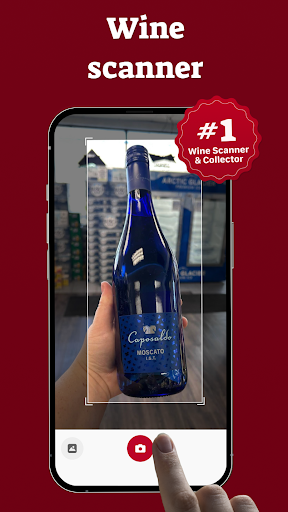


Sobre este aplicativo
Discover Your Perfect Wine with Wine-ID
Looking for the perfect wine? Meet Wine-ID, the ultimate wine identification app powered by cutting-edge artificial intelligence. Wine-ID is designed to make finding, scanning, and learning about wines effortless for wine enthusiasts of all levels.
How It Works?
1) Scan Any Wine Label
Simply take a photo of any wine label with your smartphone.
2) Get Instant Wine Information
View detailed insights about the wine, including its history, taste profile, and origin.
3) Ask Follow-Up Questions
Curious about the price, similar wines, or food pairings? Just ask—Wine-ID has you covered!
Find and Explore Wines Nearby
Using your geolocation, Wine-ID helps you locate where to buy the wine and suggests analogues available in your area.
Built for Curious Wine Lovers
Wine-ID is your personal wine assistant, offering an intuitive chat-based interface. Snap a photo, ask questions, and receive precise, unbiased information - no need to worry about judgment or misinformation. The app focuses solely on delivering essential facts and fascinating details.
Whether you're a casual drinker or a connoisseur, Wine-ID makes choosing and buying wine simple, informative, and enjoyable.
Start your wine journey with Wine-ID today!
If you have feature requests or feedback, contact us at [email protected].
Trademark Disclaimer
Wine ID is an independent product and trademark operated by Sarafan Mobile Limited. Wine ID is not affiliated with, endorsed by, sponsored by, or associated with Vivino, Inc. or any of its products or services.
All trademarks, service marks, and brand names are the property of their respective owners. Any similarity to third-party trademarks, logos, or branding is purely coincidental and not intended to imply any affiliation, endorsement, or connection.
Como baixar o APK do Wine ID: Scanner & Tracker
- Insira o nome do pacote
com.sarafan.wineidentifierna página inicial do APK Downloader. - Selecione a arquitetura do seu dispositivo (ARM64 recomendado para dispositivos modernos).
- Clique em Baixar para obter o arquivo APK mesclado.
- Transfira e instale o APK no seu dispositivo Android.
- Mantenha-se atualizado: Visite o APK Downloader regularmente para pesquisar e baixar as versões seguras mais recentes de seus aplicativos favoritos.
Segurança e Verificação de Assinatura
Este download de APK é 100% seguro. Verificamos se a assinatura criptográfica do arquivo corresponde às credenciais oficiais do desenvolvedor. Sem modificações ou adware injetados.