
Источники загрузки
Device Configuration
Руководство по установке Split APK
Некоторые приложения распространяются в виде Split APK (несколько упакованных вместе файлов .apk) для оптимизации ресурсов. Стандартные установщики Android не могут их открыть.
Похожие Приложения




Что нового
This release includes several bug fixes and performance improvements.
О приложении
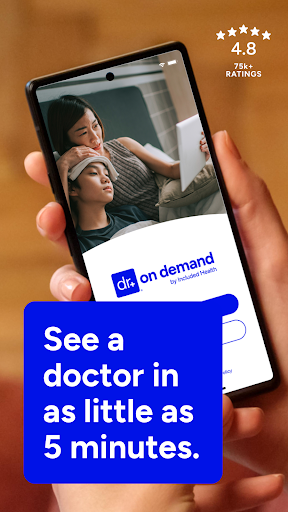
Doctor On Demand by Included Health offers 24/7 access to board-certified doctors, licensed therapists, and psychiatrists via secure video visits from your phone, tablet, or computer. When you're feeling sick, want a doctor’s note, need help with a prescription, and more, we make it easy to get quality telehealth anytime, anywhere—with or without insurance. Download the free Doctor On Demand app to get started.
Why Choose Doctor On Demand?
Fast Access to Online Doctors – See a board-certified, US-based provider with telehealth appointments anytime, day or night.
Therapy & Psychiatry – Book virtual visits for mental health concerns like stress, anxiety, depression, PTSD, trauma, and more.
Online Urgent Care, Treatment, Prescriptions – For colds, flu, allergies, skin conditions, UTIs, headaches, and more, our providers can send prescriptions to nearby pharmacies if medically appropriate.
Doctor’s Notes – Need a doctor’s note for work or school? We’ve got you covered. See an urgent care provider for help.
Insurance or Self-Pay – We work with major health plans and many employers to reduce the costs of visits for eligible members. If not covered, we offer affordable visit costs to all patients with no surprise bills.
How It Works
1. Download the app and create an account for free.
2. Choose to see the first available provider, or schedule a visit.
3. Get personalized care, prescriptions, and treatment plans in an online visit.
Conditions We Treat
✔️ Cold, Flu & Sinus Infections
✔️ UTI Treatment Online
✔️ Acne, Rashes & Skin Issues
✔️ Allergies & Asthma
✔️ High Cholesterol, Diabetes & Thyroid Screening
✔️ Headaches & Migraines
✔️ Mental Health Support: Anxiety, Depression, Grief & More
✔️ Prescription Refills & Lab Orders
Frequently Asked Questions
🕒 When are doctors available?
Our virtual providers are available 24/7, 365 days a year, including weekends and holidays. Mental health appointments are often available within days—much faster than traditional providers who can take weeks
💲 How much does a visit cost?
You’ll always see your exact visit cost upfront. We accept most insurance plans and partner with top employers and health plans to lower your costs. No insurance? Our telehealth visit costs are affordable.
👩⚕️ Who are the doctors?
Our US-based, board-certified doctors, licensed psychiatrists, and therapists have an average of 15 years of experience and come from diverse specialties to ensure you receive expert care.
🤳How does it work?
Join a telehealth visit to connect face to face with a provider from your phone, tablet, or computer in as little as ten minutes. Like an in-person visit, your provider will discuss with you how you’re feeling, your healthcare history, and propose a recommended treatment plan. Labs, screenings, and prescriptions will be sent to nearby facilities.
⚕️What can you treat?
Our urgent care doctors can treat hundreds of issues, including cold and flu, urinary tract infections, allergies, headache, sprains, and skin conditions. They can also order labs and screenings to help with preventative care and help manage chronic care conditions. Our extensive team of therapists and psychiatrists are able to treat anxiety, stress, depression, PTSD, trauma and loss relationships, and more.
Your Privacy is Our Priority
We adhere to strict HIPAA guidelines to protect your health data and personal information.
Our providers are unable to prescribe controlled substances.
Get Started Today
Join millions of patients who trust Doctor On Demand for fast, convenient, and reliable healthcare. Download the app now to sign up for free!
Как скачать APK Doctor On Demand
- Введите имя пакета
com.doctorondemand.android.patientна главной странице APK Downloader. - Выберите архитектуру вашего устройства (для современных устройств рекомендуется ARM64).
- Нажмите Скачать, чтобы получить объединенный файл APK.
- Перенесите и установите APK на свое устройство Android.
- Следите за обновлениями: Регулярно посещайте APK Downloader, чтобы искать и скачивать последние безопасные версии ваших любимых приложений.
Безопасность и проверка подписи
Эта загрузка APK на 100% безопасна. Мы проверяем соответствие цифровой подписи файла официальным ключам разработчика. Изменения и реклама отсутствуют.