
Источники загрузки
Device Configuration
Руководство по установке Split APK
Некоторые приложения распространяются в виде Split APK (несколько упакованных вместе файлов .apk) для оптимизации ресурсов. Стандартные установщики Android не могут их открыть.
Похожие Приложения





Что нового
Fixes:
- Fixed an issue where some supported documents were marked as ineligible
О приложении
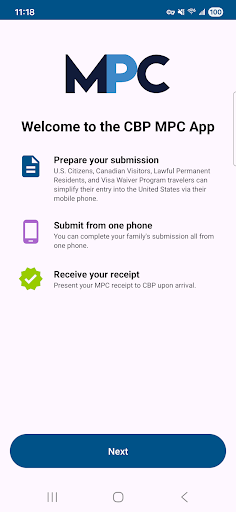
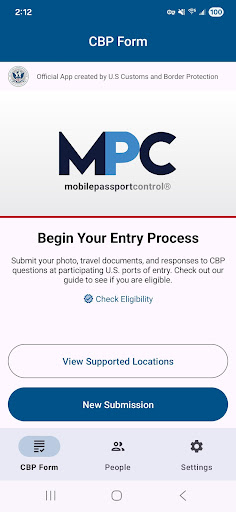
Mobile Passport Control (MPC) is an official application created by U.S. Customs and Border Protection that streamlines your CBP inspection process at select U.S. entry locations. Simply complete your travel information, answer CBP inspection questions, capture a photo of yourself and of each member of your group, and follow the instructions provided on your receipt.
Important Notes:
- MPC does not replace your passport; your passport will still be required for travel.
- MPC is only available at supported CBP entry locations.
- MPC is a voluntary program which can be used by U.S. Citizens, certain Canadian Citizen Visitors, Lawful Permanent Residents, and returning Visa Waiver Program applicants with an approved ESTA.
More information regarding eligibility and supported CBP entry locations can be found on our website: https://www.cbp.gov/travel/us-citizens/mobile-passport-control
MPC can be used in 6 simple steps:
1. Create a primary profile to save your travel documents and biographic information. You can add and save additional eligible people to the MPC app so that you can submit together from one device. Your information will be securely stored on your device to be used for future travel.
2. Select your CBP port of entry, terminal (if applicable), and add up to 11 additional members of your group to include in your submission.
3. Answer CBP inspection questions and certify the truthfulness and accuracy of your answers.
4. Upon arriving at your selected port of entry, tap the “Yes, Submit Now” button. You will be asked to capture a clear and unobstructed photo of yourself and of each other person that you included in your submission.
5. Once your submission is processed, CBP will send a virtual receipt back to your device. Follow the instructions on your receipt and be prepared to present your passport and other relevant travel documents.
6. The CBP Officer will complete the inspection. If further information is required, the CBP Officer will let you know. Please note: The CBP Officer may ask to capture an additional photo of you or your group members for verification.
Как скачать APK Mobile Passport Control
- Введите имя пакета
gov.dhs.cbp.pspd.mpcна главной странице APK Downloader. - Выберите архитектуру вашего устройства (для современных устройств рекомендуется ARM64).
- Нажмите Скачать, чтобы получить объединенный файл APK.
- Перенесите и установите APK на свое устройство Android.
- Следите за обновлениями: Регулярно посещайте APK Downloader, чтобы искать и скачивать последние безопасные версии ваших любимых приложений.
Безопасность и проверка подписи
Эта загрузка APK на 100% безопасна. Мы проверяем соответствие цифровой подписи файла официальным ключам разработчика. Изменения и реклама отсутствуют.