
Источники загрузки
Device Configuration
Руководство по установке Split APK
Некоторые приложения распространяются в виде Split APK (несколько упакованных вместе файлов .apk) для оптимизации ресурсов. Стандартные установщики Android не могут их открыть.
Похожие Приложения



Что нового
1. Fixed crash bugs
О приложении
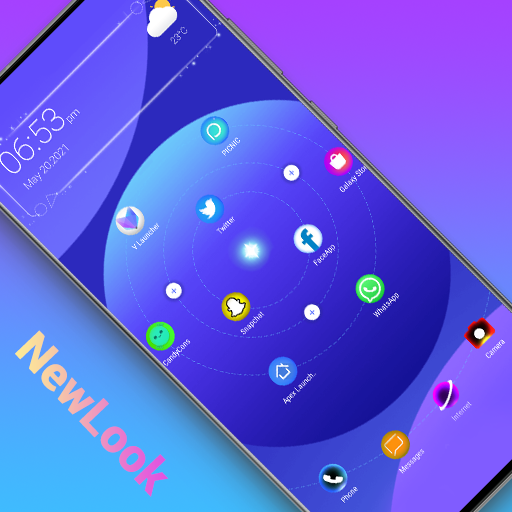
A Launcher is Galaxy A/S style launcher, bring you the latest Galaxy A/S phone experience, it make your phone like brand new Galaxy A & Galaxy S phone, get one ui 3.0 experience, just get and try!👍
🌟🌟🌟🌟🌟 A Launcher features:
+ A Launcher support beautiful themes, many icon packs, cool effects, huge customization, and much more.
+ A Launcher can be installed on all Android 5.0+ devices
+ A Launcher bring you latest Galaxy A One UI 3.0 launcher user experience
+ A Launcher's theme library has more than 300+ beautiful themes
+ A Launcher support all most all the third party icon pack on Google Play
+ Live launcher effects: wave, flowers, weather, feather, bubble...
+ Cool launcher transition effects for desktop: cube in/out, wave, cross...
+ Support 3D launcher parallax wallpaper, video wallpaper
+ Support 20+ icon shape: square, circle, love, cat, hive, star...
+ Support gestures: swipe up/down, pinch in/out, two fingers gesture
+ Apps drawer layout: A-Z location bar and app search bar in launcher drawer to find apps quickly
+ Apps drawer mode: horizontal mode, vertical mode, vertical with category
+ You can config launher icon grid, icon size
+ You can config launcher drawer background
+ You can do icon label color customization, lock desktop option
+ You can enable cool finger animation effect on launche desktop
+ A Launcher support hide apps and even lock apps to protect your privacy
+ A Launcher support notification badge in laucnher desktop
+ A Launcher has weather widget shown in laucnher desktop
Please try A Launcher, it will bring you the latest Galaxy A/S One UI 3.0 launcher user experience, and you may get many more powerful, funny, cool features.
❤️ Your comments and rating are welcome, it help us making A Launcher better and better, thanks a lot
Notice:
1. Android™ is a registered trademark of Google, Inc.
2. A Launcher's user experience is inspired by Galaxy A One UI launcher's user experience, it is NOT official Samsung™ Galaxy A launcher, we have NO official relationship with Samsung™, please be noticed of this. A Launcher is built to bring the latest Galaxy A phone experience to all Android phone users
Как скачать APK A Launcher : Galaxy A Launcher
- Введите имя пакета
newer.galaxya.launcherна главной странице APK Downloader. - Выберите архитектуру вашего устройства (для современных устройств рекомендуется ARM64).
- Нажмите Скачать, чтобы получить объединенный файл APK.
- Перенесите и установите APK на свое устройство Android.
- Следите за обновлениями: Регулярно посещайте APK Downloader, чтобы искать и скачивать последние безопасные версии ваших любимых приложений.
Безопасность и проверка подписи
Эта загрузка APK на 100% безопасна. Мы проверяем соответствие цифровой подписи файла официальным ключам разработчика. Изменения и реклама отсутствуют.