
PrinterShare Mobile Print APK Ekran Görüntüleri



PrinterShare Mobile Print Uygulama Bilgileri
İndirme Kaynakları
Device Configuration
PrinterShare Mobile Print Eski Sürümleri
| Version | Size | Min OS | Architecture | Release Date | Action |
|---|---|---|---|---|---|
| v11.24.0 | 1.7 MB | Android 16+ | Jun 29, 2026 | Download |
Split APK Kurulum Kılavuzu
Bazı uygulamalar, kaynakları optimize etmek için Split APK'ler (birlikte paketlenmiş birden fazla .apk dosyası) olarak dağıtılır. Standart Android yükleyicileri bunları açamaz.
PrinterShare Mobile Print Yenilikler
bug fixes
PrinterShare Mobile Print Hakkında
Print directly from Android phone or tablet to almost any printer! Print photos, emails, documents (including PDF, Microsoft® Word, Excel®, PowerPoint®, and other files), bills, invoices, messages, web pages, and more. PrinterShare makes printing easy and convenient whether your printer is right next to you or across the world!
IMPORTANT: Some of the features are NOT FREE! To unlock these features, you would need to make a purchase to unlock the Premium Features of the free app. We highly recommend printing the test page to ensure compatibility with your printer prior to making a purchase.
NOTE: Due to the update to the Permissions policy on Google Play, we had to remove the SMS and Call log printing features from our app.
With PrinterShare you can easily print images and photos (JPG, PNG, GIF), emails (from Gmail) and attachments (PDF, DOC, XLS, PPT, TXT), contacts, agenda, web pages (HTML), and other digital content from device memory, cloud storage providers such as Google Drive, One Drive, Box, Dropbox and other applications using Share action. You even can print text messages for trial or legal matters!
Print UPS shipping labels directly from a browser on your device to supported thermal printers by logging into the UPS website.
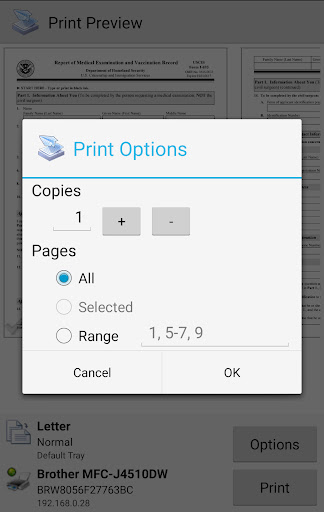
Also, you can configure many printing options such as paper size, page orientation, copies, page range, one- or two-sided printing (duplex mode), print quality (resolution), color or monochrome, media tray, and more.
With the free version of the app, you can:
* Print with certain restrictions on nearby wireless (WiFi, Bluetooth) and direct USB OTG connected printers;
* Print on Windows shared (SMB/CIFS) or Mac shared printers;
Premium Features include:
* Unlimited Nearby direct printing (PDFs, documents, photos, and more) via Wi-Fi or Bluetooth without a computer;
* Complimentary 100 pages for Remote Printing under the same account
PrinterShare supports a wide variety of HP, Canon, Brother, Kodak, Samsung, Dell, Ricoh, Lexmark, Kyocera, OKI, and other printers including legacy networkable. A full list of supported printers available at http://printershare.com/help-mobile-supported.sdf. You can also print to unsupported and legacy printers with our free computer software for Mac and Windows available at http://printershare.com.
Here is the list of printers supported by the PrinterShare app:
http://www.printershare.com/help-mobile-supported.sdf
Make sure that your printer is supported.
Please note:
1) Requested permissions are needed to print content and are not used to collect your personal data. For a more detailed explanation please see our FAQ at http://www.printershare.com/help-mobile-faq.sdf
2) If something isn't working as expected, please send us an email to [email protected]
Have a good print!
P.S. For direct nearby printing to selected printer models PrinterShare downloads and uses drivers provided by HPLIP (http://hplipopensource.com) and GutenPrint (http://gimp-print.sourceforge.net). These drivers are distributed under GNU General Public License, version 2.
Kullanıcı Yorumları

Bir aylık ücret diyor üç aylık ücret i peşin aldınız. Almanız önemli değilde kafayı yiyeceğim yazıcıyı görüyor fakat çıktı vermiyor. Yetkili kişinin acil dönüş yapmasını istiyorum.eğer sorun giderilmeyecekse ücretimin iade edilmesini istiyorum.
Merhaba uygulama çok güzel ve kullanışlı. Sizden isteğim USB ile telefona bağlı yazıcıyı da paylaşmak. Şöyle benim telefonum yazıcıya bağlı ve ikinci bir telefondan yazıcıya çıktı almak istiyorum. Wifi ya da bluetooth ile. Hi the application is very nice and convenient. I also want to share a USB-connected printer. My phone is connected to the printer and I want to output from a second phone to the printer. With wifi or bluetooth.

Kesinlikle çok iyi, telefonla sadece yazıcı tanıtımı yaparak çıktı alabilirsiniz. Benim ricoh sp111 model yazıcımda sorunsuz bir şekilde çalıştı. Lisans ücreti de fazla değil zaten. Kesinlikle öneririm..

Lûtfen proğrami yada yazici cihazini otomatik olarak çaliştir gûncelle ve aktif yap.proğrami eksiksiz birşekilde çok iyi birşekilde engelsiz ve kesintisiz bir şekilde onayla proğrami gûncelle vede şimdiki zamana göre ayarliyarak eniyi birşekilde pozitif yap.Saygi ve Sevgilermle.Başarilar...By
PrinterShare Mobile Print APK Nasıl İndirilir
- Paket adını
com.dynamixsoftware.printershareAPK Downloader'da girin. - Cihazınızın mimarisini seçin (modern cihazlar için ARM64 önerilir).
- Birleştirilmiş APK dosyasını almak için İndir'e tıklayın.
- APK'yı Android cihazınıza aktarın ve yükleyin.
- Güncel Kalın: En sevdiğiniz uygulamaların en son güvenli sürümlerini aramak ve indirmek için düzenli olarak APKDER.COM'ı ziyaret edin.
Sıkça Sorulan Sorular
Evet! APKDER tarafından sağlanan her APK indirme işlemi sıkı güvenlik doğrulamasından geçer. APK dosyasının şifreleme imzasının geliştiricinin resmi imzasıyla eşleştiğini doğrularız, böylece APK'nın orijinal, el değmemiş ve her türlü değişiklikten uzak olduğundan emin oluruz.
Yüklemek için öncelikle Android cihazınızın güvenlik ayarlarından "Bilinmeyen Kaynaklar" seçeneğini etkinleştirmeniz gerekir. APK dosyasını APKDER'den indikten sonra, yüklemeyi başlatmak için dosyaya dokunun ve ekrandaki talimatları izleyin.
Evet! Geliştirici PrinterShare Mobile Print için yeni bir sürüm yayınlar yayınlamaz, güncellenmiş APK'yı APKDER'de paylaşacağız. Uygulama verilerinizi kaybetmeden yeni APK'yı mevcut olanın üzerine indirip kurabilirsiniz.
Evet. APKDER, uygulama veya oyun ülkenizin mağazasında resmi olarak mevcut olmasa bile, coğrafi kısıtlamaları aşmanıza ve resmi APK dosyalarını doğrudan indirmenize olanak tanır.
Standart bir APK tek bir kurulum paketidir. XAPK veya Bölünmüş (Split) APK ise birlikte paketlenmiş birden fazla kaynak dosyası içerir. Bunları kurmak için bölümleri tek tek indirebilir veya Split APKs Installer (SAI) gibi yardımcı araçları kullanabilirsiniz.
Güvenlik ve İmza Doğrulaması
Bu APK indirmesi %100 güvenlidir. Dosyanın kriptografik imzasının resmi geliştirici sertifikasıyla eşleştiğini doğrularız. Herhangi bir değişiklik veya reklam barındırmaz.


