
İndirme Kaynakları
Device Configuration
Split APK Kurulum Kılavuzu
Bazı uygulamalar, kaynakları optimize etmek için Split APK'ler (birlikte paketlenmiş birden fazla .apk dosyası) olarak dağıtılır. Standart Android yükleyicileri bunları açamaz.
İlişkili Uygulamalar




Yenilikler
Fix some bugs.
Bu uygulama hakkında
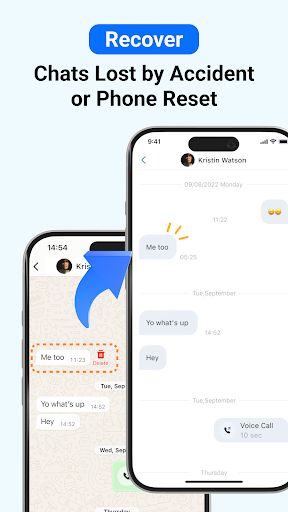
ChatsBack is a powerful recovery app that helps you easily recover deleted messages, photos, videos, voice notes, and files - even if you don't have a backup. Whether your chats were accidentally deleted, lost during a phone reset, or retracted by the sender, ChatsBack makes recovery simple and secure.
Key Features
📩 Recover deleted messages without backup
📸 Restore photos, videos, voice notes, and documents
👀 View messages and attachments that were recalled or retracted
🔒 No blue tick - read deleted messages privately
💾 Export recovered data to HTML, PDF, CSV, or Excel for safekeeping
⚡ High success rate on the latest Android versions, including Android 13+
Common Use Cases
- Accidentally deleted important chats
- Phone reset or system update caused message loss
- Need to restore family photos, videos, or voice messages
- Retrieve work files or contacts shared in groups
- Access and organize old conversations for personal records
Why Choose ChatsBack?
★ Practical & Reliable - Recover deleted messages without backup in just a few taps.
★ Simple & Clear- User-friendly design with step-by-step guides for easy recovery.
★ Safe & Secure - Your data privacy is highly protected and will never be shared.
★ Convenient & Flexible - Directly save recovered messages and media to your phone, or export them to your computer for backup.
How It Works?
1. Download and install the ChatsBack app on your Android device.
2. Grant the necessary permissions to enable recovery.
3. Scan, preview, and select the data you want to restore.
4. Recover deleted messages and files instantly to your phone or computer.
No more frustration when important chats or media disappear. With ChatsBack, you can always keep your history safe, organized, and accessible.
🌟 Start using ChatsBack today and never lose your data again!
Privacy Policy: https://www.imyfone.com/company/privacy-policy/
Terms of Service: https://www.imyfone.com/company/terms-conditions-2018-05/
License Agreement: https://www.imyfone.com/company/license-agreement/
ChatsBack See Deleted Messages APK Nasıl İndirilir
- Paket adını
com.imyfone.chatbackAPK Downloader ana sayfasında girin. - Cihazınızın mimarisini seçin (modern cihazlar için ARM64 önerilir).
- Birleştirilmiş APK dosyasını almak için İndir'e tıklayın.
- APK'yı Android cihazınıza aktarın ve yükleyin.
- Güncel Kalın: En sevdiğiniz uygulamaların en son güvenli sürümlerini aramak ve indirmek için düzenli olarak APK Downloader'ı ziyaret edin.
Güvenlik ve İmza Doğrulaması
Bu APK indirmesi %100 güvenlidir. Dosyanın kriptografik imzasının resmi geliştirici sertifikasıyla eşleştiğini doğrularız. Herhangi bir değişiklik veya reklam barındırmaz.