
下载来源
Device Configuration
Split APKs Installation Guide
某些应用以 Split APKs(打包在一起的多个 .apk 文件)形式分发以优化资源。标准的 Android 安装程序无法打开它们。
相关应用



新版变化
Bug fixes and improvements
关于此应用
Antivirus for Android is a multi-function and convenient app that will help you protect and clean your device! Antivirus for Android – reliable protection of your device against viruses, ensuring the security of your device's and personal data.
Main features:
● Antivirus - virus removal and security improvements.
Device protection against hacker attacks. The antivirus will scan, detect and delete viruses on your device. Device protection against all potential threats: viruses, trojans, malware, spyware, and adware.
● Cleaning and device configuration by deleting needless background tasks. Disable startup apps to decrease memory usage.
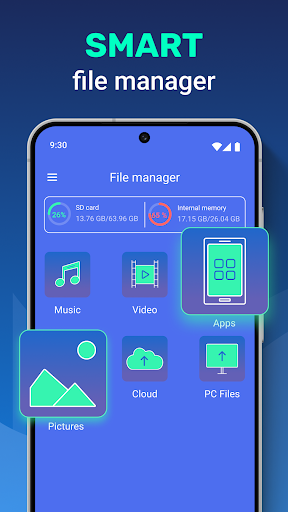
● File manager - useful instrument for file management on your device. Wireless connection to any other device.
● VPN - VPN protects your privacy on the internet and hides your IP address. With our built-in VPN, you can access geo-restricted content and protect your online privacy by encrypting your internet traffic.
● Apps protection helps you protect your apps, personal data, and conversations from other people.
In our app, you can use the AccessibilityService API to clean and configure your device conveniently and to protect your apps and data stored on the device from access by third parties. To do so, you will need to carefully read the terms and confirm the use of this API in our app. With use of the AccessibilityService API our app does not collect, process, store or send data about the device or its owner to third parties.
如何下载 Antivirus - Cleaner + VPN APK
- 在 APK Downloader 首页 输入应用包名
cleaner.antivirus。 - 选择您的设备架构(现代设备推荐选择 ARM64)。
- 点击 下载 获取合并后的 APK 文件。
- 传输并安装 APK 到您的 Android 设备上。
- 保持更新: 定期访问 APK Downloader 以搜索并下载您最喜爱的应用的最新安全版本。
安全与签名验证
此 APK 下载 100% 安全。我们验证文件的加密签名与官方开发者的凭据相匹配。无任何修改或广告注入。