
下载来源
Device Configuration
Split APKs Installation Guide
某些应用以 Split APKs(打包在一起的多个 .apk 文件)形式分发以优化资源。标准的 Android 安装程序无法打开它们。
相关应用



新版变化
• Minor updates and bug fixes
关于此应用
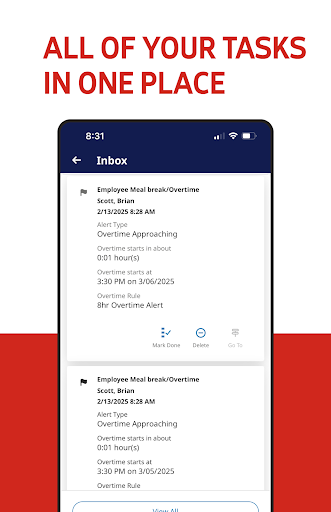
Unlock your workforce potential with the ADP My Work app, the perfect workforce management companion app for ADP Mobile! The ADP My Work app transforms the way you manage your team. Designed for managers and employees, this powerful tool puts workforce management in your pocket.
For Managers:
- Check attendance on the go
- Update schedules effortlessly
- Approve timecards with a tap
- Monitor overtime wherever you are
For Employees:
- Clock in and out in seconds
- Check schedules and swap shifts easily
- Request time off with just a click
Practitioners:
- Check on and process timecards remotely and ensure a payroll process is running smoothly
Embrace the future of workforce management by enhancing communication and boosting productivity with the My Work app, available exclusively for employees of ADP Workforce Manager clients.
Download now and experience seamless management at your fingertips!
Note: Use your ADP username and password to log in.
如何下载 My Work APK
- 在 APK Downloader 首页 输入应用包名
com.adp.dimensions.enterprise。 - 选择您的设备架构(现代设备推荐选择 ARM64)。
- 点击 下载 获取合并后的 APK 文件。
- 传输并安装 APK 到您的 Android 设备上。
- 保持更新: 定期访问 APK Downloader 以搜索并下载您最喜爱的应用的最新安全版本。
安全与签名验证
此 APK 下载 100% 安全。我们验证文件的加密签名与官方开发者的凭据相匹配。无任何修改或广告注入。