
下载来源
Device Configuration
Split APKs Installation Guide
某些应用以 Split APKs(打包在一起的多个 .apk 文件)形式分发以优化资源。标准的 Android 安装程序无法打开它们。
相关应用




新版变化
- bug fixes
关于此应用
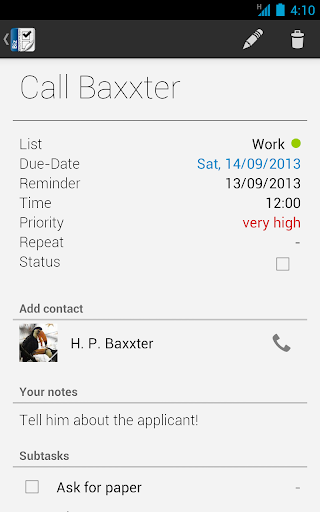
Business Tasks is a complete tasks organizer that is synchronizing with Google Tasks and Toodledo!
The application also works as an add-on for our application Business Calendar (full version) so that all tasks can be viewed and edited from within the calendar app as long as the Business Tasks add-on is installed!
Features:
* Google Tasks functionality on your Android device
* support for Toodledo tasks
* easy and convenient tasks management
* color code task lists
* configurable smartlists to quickly show all tasks that are matching certain criteria
* pre-defined smartlists for today, next 7 days and all tasks
* sort tasks using drag&drop
* repeating tasks
* option to create local tasks
* option to create subtasks
* automatically create tasks for missed calls
* add contacts to tasks
* quick access to favorite task lists
* search function
* reminder for tasks
* postpone tasks to tomorrow with one click
* scrollable widget (Android 3.x+)
* optimized version for tablets (Android 4.x+)
如何下载 Business Tasks APK
- 在 APK Downloader 首页 输入应用包名
com.appgenix.biztasks。 - 选择您的设备架构(现代设备推荐选择 ARM64)。
- 点击 下载 获取合并后的 APK 文件。
- 传输并安装 APK 到您的 Android 设备上。
- 保持更新: 定期访问 APK Downloader 以搜索并下载您最喜爱的应用的最新安全版本。
安全与签名验证
此 APK 下载 100% 安全。我们验证文件的加密签名与官方开发者的凭据相匹配。无任何修改或广告注入。