
下载来源
Device Configuration
Split APKs Installation Guide
某些应用以 Split APKs(打包在一起的多个 .apk 文件)形式分发以优化资源。标准的 Android 安装程序无法打开它们。
相关应用


关于此应用
📝 Need an easy way to capture important moments and record voice on the go?
Designed to capture every detail, this voice recorder app lets you record meetings, lectures, podcasts, or personal voice memos with ease. Record high-quality multitrack audio from multiple sources simultaneously. With a sound recorder, you can capture system sounds as well as external voice notes in high quality, choosing from formats like MP3, M4A, WAV, or FLAC.
Enjoy a seamless experience of this voice recording app with advanced tools like noise reduction, echo cancellation, and noise separation that keep your recordings clear and free of distractions. The audio recorder app automatically pauses and resumes recording without interruption if a call comes in. Recordings are easy to manage, trim or cut unnecessary parts with the audio trimmer and cutter, lock private files for security, and easily share your memos with others.
🎙️ Voice Recorder Core Features 🎙️
➤ Record using your built-in mic, external mic or Bluetooth headset.
➤ Trim unwanted parts or cut recordings into multiple sections with ease.
➤ With Internal Recording, you can easily capture clear voice notes directly from your device.
➤ Noise Reduction clears background disturbances from voice memos, giving your recordings crystal-clear sound.
➤ Echo Cancellation blocks unwanted echoes, giving you smooth and clear audio every time.
➤ Noise Separation smartly isolates voice from unwanted sounds for a cleaner audio experience.
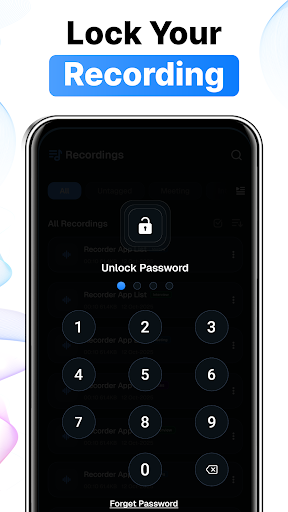
➤ Secure any specific recording with Audio Lock while keeping others freely accessible.
➤ Save in MP3, AAC, WAV, or FLAC format with customizable bitrate and channel options.
📁 Organize & manage your recording
➤ Pause on Call automatically stops recording whenever you receive or make a call.
➤ Change how fast or slow your recordings play with simple playback controls.
➤ Loop Voice in this voice recording app lets you repeat any parts of your recording to focus
➤ Pause and resume recording sessions in voice recorder
➤ Set the recording as a ringtone sound with Voice Memos
➤ Record audio in the background, even when your screen is turned off
➤ Add tags to your files with audio recorder
🔊 Advanced Audio Controls
◉ Choose your preferred bitrate: 128, 160, 192, 224, or 256 kbps.
◉ Channel modes: Mono, Stereo
◉ MP3 quality settings: Low, Medium, High
◉ Input channels: One or Two
◉ Audio player: Fast forward, rewind, and playback speed control 0.5x, 1.0x, 2.0x
👨💼 Perfect for Everyone’s Needs
Students: Capture every word from your teacher with a Voice Recorder. No matter where you sit in class, you can easily record the teacher’s voice and listen to it later at your own pace. You can play the recording as many times as you want and adjust the speed.
Meetings & Lectures: Missing important points during business meetings or lectures? Easily sort your recordings by name, date, size, or duration and boost your productivity with this audio recorder.
Musicians: Every voice notes in music opens the door to a new world, where emotions are hidden within every sound of a sound recorder. When a musician records their dreams voice memos, they feel the depth of their emotions in every note.
Capture every word, thought, and memory easily using our voice recording app! The audio recorder app makes sure you never miss a moment. Easily record conversations, lectures, or personal thoughts, and listen back whenever you need.
Note: Voice Recorder is not a call recorder and can’t record audio of phone calls.
如何下载 Voice Recorder & Voice Memos APK
- 在 APK Downloader 首页 输入应用包名
com.cc.voicerecorder.audiorecorder.voicememos。 - 选择您的设备架构(现代设备推荐选择 ARM64)。
- 点击 下载 获取合并后的 APK 文件。
- 传输并安装 APK 到您的 Android 设备上。
- 保持更新: 定期访问 APK Downloader 以搜索并下载您最喜爱的应用的最新安全版本。
安全与签名验证
此 APK 下载 100% 安全。我们验证文件的加密签名与官方开发者的凭据相匹配。无任何修改或广告注入。