
下载来源
Device Configuration
Split APKs Installation Guide
某些应用以 Split APKs(打包在一起的多个 .apk 文件)形式分发以优化资源。标准的 Android 安装程序无法打开它们。
1.
Download Split APKs Installer (SAI) from Google Play Store.
2.
Download the app archive (.apks) using the download sources listed above.
3.
Open SAI, click "Install APKs", choose the downloaded archive, and click Install.

版本
1.5.3
下载次数
50,000+
更新日期
Jun 23, 2026
开发者
Windscribe
类别
Tools
内容分级
Everyone
包名
com.controld.setuputility
Platform
Android



新版变化
* Ctrld updated to v1.5.3
关于此应用
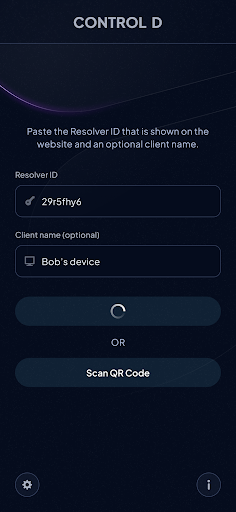
This is an optional companion app to the ControlD.com DNS service. It allows you to start using any ControlD DNS resolver on your Android device with a single click.
This app is optional to use Control D, as we recommend the use of Private DNS feature in Android, as it requires no installed software.
Control D employs the Android VPN service to filter only DNS traffic and route it through the ControlD DNS service.
如何下载 Control D Quick Setup APK
- 在 APK Downloader 首页 输入应用包名
com.controld.setuputility。 - 选择您的设备架构(现代设备推荐选择 ARM64)。
- 点击 下载 获取合并后的 APK 文件。
- 传输并安装 APK 到您的 Android 设备上。
- 保持更新: 定期访问 APK Downloader 以搜索并下载您最喜爱的应用的最新安全版本。
安全与签名验证
此 APK 下载 100% 安全。我们验证文件的加密签名与官方开发者的凭据相匹配。无任何修改或广告注入。