下载来源
Device Configuration
Split APKs Installation Guide
某些应用以 Split APKs(打包在一起的多个 .apk 文件)形式分发以优化资源。标准的 Android 安装程序无法打开它们。
相关应用


新版变化
Defect Fixing
关于此应用
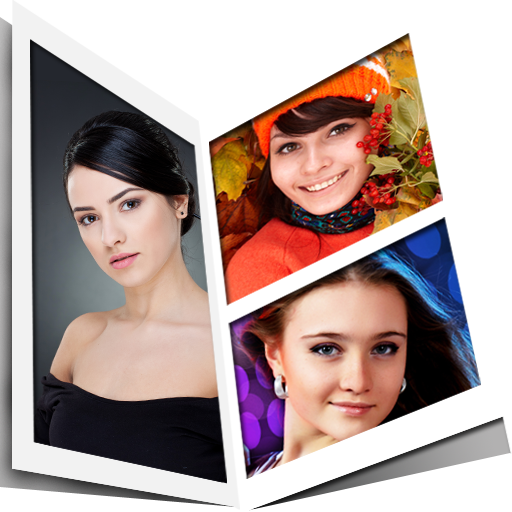
Create collages, apply effects and upload everything to Instagram, Facebook etc just in a tap with Pic Frame Effects . Edit photos easily with Pic grid editor and turn them into beautiful pic collages. After taking up any challenge, you can easily show the before and after picture with pic mix app.
Compare photos side by side to get the difference of before & after look. You can make two images in one frame by wearing two different outfits and keep them side-by-side so you will get better understanding of which one suits you the best. If you want to take up ten year challenge, just join photos together using then and now collage maker.
Add grid on image to get perfect borders for pictures. Color picker lets you choose any color to add border to photo. Try grid on photo with picgrid. Add photos together to connect them and make a collage. Create collages for multiple occasions like love collage, family collage, birthday collage etc.
Put two pictures in one photo with pic joiner. Pic merger lets you choose upto 9 photos to make big collages. This photo montage has different categories of filters, overlays and effects to make your colleges to next level. Photo editing is made super simple with pic frame app.
Pic collage will allow you to combine multiple photos on your phone and create amazing photo collages that you can save and share with your friends and family via Facebook, instagram etc. You can change color of the frames also. It supports 50 cool photo effects also. Adjust photos using pinch zoom option.
Features :
* Choose from around 50 layouts of grids or frames to decorate photos free.
* Combine upto 9 photos to create photo collages
* Apply background colours to the photos or borders
* Apply cool filters, overlays & effects to enhance the pic collage
* Save photos in high resolution and share across all social networking apps
* Very simple and easy to use design to edit photos
Unleash the creativity in you and make beautiful collages with photo grid collage maker. This photo collage editor is one stop solution to edit the photos. Download the pic frame app now and let us know if you face any issue @[email protected]
如何下载 Side by side picture : Collage APK
- 在 APK Downloader 首页 输入应用包名
com.instapic.android。 - 选择您的设备架构(现代设备推荐选择 ARM64)。
- 点击 下载 获取合并后的 APK 文件。
- 传输并安装 APK 到您的 Android 设备上。
- 保持更新: 定期访问 APK Downloader 以搜索并下载您最喜爱的应用的最新安全版本。
安全与签名验证
此 APK 下载 100% 安全。我们验证文件的加密签名与官方开发者的凭据相匹配。无任何修改或广告注入。