
下载来源
Device Configuration
Split APKs Installation Guide
某些应用以 Split APKs(打包在一起的多个 .apk 文件)形式分发以优化资源。标准的 Android 安装程序无法打开它们。
相关应用




新版变化
- You can now change note text color.
- We’ve fixed some bugs and made the app run smoother for everyone.
关于此应用
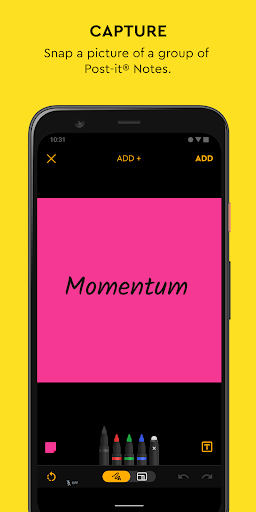
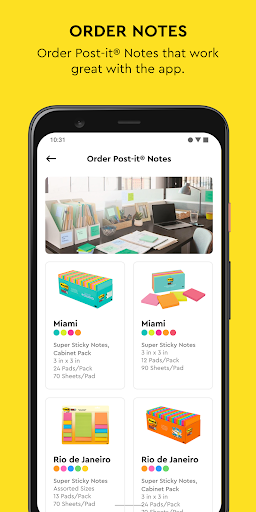
Use Post-it® Notes anywhere and anytime. Post-it® App brings the simplicity of Post-it® Notes to your smartphone, tablet and Chromebook. Whether you use Post-it® Notes for teamwork and collaboration, or for reminders and personal note taking, Post-it® App helps you keep the momentum going.
If you work from home or as a student in remote learning, use the Post-it® App to share your ideas with co-workers, structure your assignments and share them with your teacher, or create colorful calendars and share them with your friends.
Simply capture analog notes with your camera or create digital notes right on your device. Arrange, refine and organize ideas anyway you see fit. Collaborate and share notes with co-workers, teachers and friends, or export to your favorite apps and cloud services—including Miro, Trello, Dropbox, PowerPoint, Excel, PDF, and more.
Post-it® App features:
• Connect and share ideas from anywhere with co-workers and friends, whether it be a workshop or you simply want to share notes with each other.
• Capture more than 200 Post-it® Notes at a time with your camera. All our popular note sizes are supported.
• Transcribe your notes automatically using Handwriting Recognition. Great for search and exports.
• Draw, erase, type and change the color of your notes using powerful editing tools.
• Organize your way—group your ideas by thought or simply organize on a grid.
• Share to your favorite formats and cloud services to continue working on your ideas digitally—supports Miro, Trello, Dropbox, PowerPoint, Excel, PDF, and more.
• Use our Widget to put your most important notes directly on your home screen.
Learn more about Post-it® App at post-it.com/app
Terms of Service: https://www.post-it.com/3M/en_US/post-it/ideas/app/eula/
如何下载 Post-it® APK
- 在 APK Downloader 首页 输入应用包名
com.mmm.postit。 - 选择您的设备架构(现代设备推荐选择 ARM64)。
- 点击 下载 获取合并后的 APK 文件。
- 传输并安装 APK 到您的 Android 设备上。
- 保持更新: 定期访问 APK Downloader 以搜索并下载您最喜爱的应用的最新安全版本。
安全与签名验证
此 APK 下载 100% 安全。我们验证文件的加密签名与官方开发者的凭据相匹配。无任何修改或广告注入。