


下载来源
Device Configuration
Split APKs Installation Guide
某些应用以 Split APKs(打包在一起的多个 .apk 文件)形式分发以优化资源。标准的 Android 安装程序无法打开它们。
新版变化
Various bug fixes and performance enhancements. For more details, go to “Settings” and select “Release Highlights”.
关于此应用
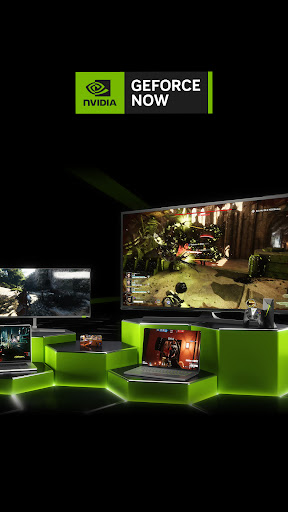
NVIDIA GeForce NOW™ transforms your device into a powerful PC gaming rig.
Gamers can play PC titles they already own or purchase new games from popular digital stores like Steam, Epic Games Store, Ubisoft Connect, and EA. Access 1500+ games, with more released every GFN Thursday. The catalog also features many of the world’s most-played games, including 100+ free-to-play titles, like Fortnite, Apex Legends, Destiny 2 and more. Play with and against millions of other PC players, and never wait for downloads, installs, patches or updates.
Downloading the app will not give you access to the service. Streaming with GeForce NOW requires a membership. Give PC gaming a try with our free membership. Or join one of our premium memberships for an enhanced experience including faster frame rates, RTX ON, priority access to our gaming servers and extended session lengths. To learn more about membership options, and to sign-up for GeForce NOW, visit our page here: www.geforcenow.com.
Members looking to continue use of GameStream can use Steam Link to stream games directly from their PC. Steam Link is free, supports 4K resolutions, and available for all major devices and platforms including NVIDIA SHIELD.
For an optimal experience, we recommend 5GHz WiFi or Ethernet connection with at least 15Mbps. You can find a full list of system requirements and supported gamepads here: https://www.nvidia.com/en-us/geforce-now/system-reqs/
用户评论

更新后掌机不能再串流了,显示PC为离线

good

掌机里面什么都没有
开游戏就提示连接失败
如何下载 GeForce NOW for SHIELD TV APK
- 在 APK Downloader 输入应用包名
com.nvidia.tegrazone3。 - 选择您的设备架构(现代设备推荐选择 ARM64)。
- 点击 下载 获取合并后的 APK 文件。
- 传输并安装 APK 到您的 Android 设备上。
- 保持更新: 定期访问 APKDER.COM 以搜索并下载您最喜爱的应用的最新安全版本。
安全与签名验证
此 APK 下载 100% 安全。我们验证文件的加密签名与官方开发者的凭据相匹配。无任何修改或广告注入。


