


版本
1.0.0
下载次数
5+
更新日期
Jul 3, 2026
开发者
Ookla
类别
工具
内容分级
适合所有人
包名
com.ookla.pulseapp
Platform
Android
下载来源
Device Configuration
Split APKs Installation Guide
某些应用以 Split APKs(打包在一起的多个 .apk 文件)形式分发以优化资源。标准的 Android 安装程序无法打开它们。
1.
Download Split APKs Installer (SAI) from Google Play Store.
2.
Download the app archive (.apks) using the download sources listed above.
3.
Open SAI, click "Install APKs", choose the downloaded archive, and click Install.
新版变化
Initial public release of the Speedtest Pulse app on Android
关于此应用
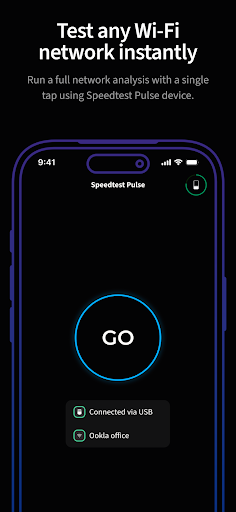
One-tap network validation and actionable Wi-Fi troubleshooting that empowers every technician.
Tired of vague "the Wi-Fi is slow" complaints and the pressure of unresolved tickets? The Speedtest Pulse™ app, paired with your Speedtest Pulse hardware, is built to make your job easier by turning complex network data into clear instructions. Validate the entire network at the time of install, and resolve troubleshooting tickets fast. Note: This is a professional tool. Speedtest Pulse™ hardware and app subscription are required to use this software.
如何下载 Speedtest Pulse by Ookla APK
- 在 APK Downloader 输入应用包名
com.ookla.pulseapp。 - 选择您的设备架构(现代设备推荐选择 ARM64)。
- 点击 下载 获取合并后的 APK 文件。
- 传输并安装 APK 到您的 Android 设备上。
- 保持更新: 定期访问 APKDER.COM 以搜索并下载您最喜爱的应用的最新安全版本。
安全与签名验证
此 APK 下载 100% 安全。我们验证文件的加密签名与官方开发者的凭据相匹配。无任何修改或广告注入。


