
下载来源
Device Configuration
Split APKs Installation Guide
某些应用以 Split APKs(打包在一起的多个 .apk 文件)形式分发以优化资源。标准的 Android 安装程序无法打开它们。
相关应用





新版变化
Updates to security and general enhancements.
关于此应用
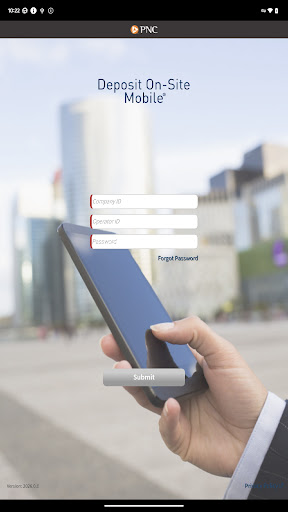
DEPOSIT ON-SITE MOBILE® for Android™
MOBILE DEPOSIT FOR CORPORATIONS
ACCELERATE YOUR BUSINESS
With PNC Bank’s corporate mobile solution, you have deposit-only access to accelerate your cash flow and include important payment details. In conjunction with PNC’s Deposit On-Site service, this corporate mobile solution enables your company’s mobile users to make check deposits on the go.
For Companies interested in using PNC’s Deposit On-Site Mobile Deposit Service, contact your Treasury Management Officer or visit pnc.com/treasury.
MOBILE USERS:
The PNC Deposit On-Site Mobile App provides an efficient way to accelerate the deposit of consumer and business checks. This App is designed for Android™ devices with an operating system of 5.1 and higher. With an Android™ supported mobile device, you can:
Download
and launch the PNC Deposit On-Site Mobile App.
Authenticate
and sign on with the Operator ID and Password supplied by your company.
Create
a new deposit for one or more checks, take a picture of the check(s), enter the dollar amount, and enter data related to the payments received.
Submit
your deposit to PNC via your mobile device, several times a day or at the end of your business day.
View
open and submitted deposit details from your mobile device.
For Deposit On-Site Mobile support call 1-800-669-1518 or [email protected].
PNC does not charge a fee for this application. However, third party message and data rates may apply. A supported mobile device is needed to use the Deposit On-Site Mobile® App.
Your employer has previously entered into a Treasury Management Services Comprehensive Agreement with PNC Bank, National Association (“PNC Bank”) regarding
your employer’s use of the Deposit On-Site® service (the “Comprehensive Agreement”). The terms and conditions of the Comprehensive Agreement shall govern your access to and use of the mobile version of the Deposit On-Site Mobile® service (the ‘App”) with an Android™ supported mobile device.
PNC, Deposit On-Site, and Deposit On-Site Mobile are registered marks of The PNC Financial Services Group, Inc. (“PNC”).
Android™ is a trademark of Google Inc
Bank deposit, treasury management products and services are provided by PNC Bank, National Association, a wholly-owned subsidiary of PNC and Member FDIC.
©2025 The PNC Financial Services Group, Inc. All rights reserved.
如何下载 PNC Deposit On-Site Mobile APK
- 在 APK Downloader 首页 输入应用包名
com.pnc.DepositOnsite。 - 选择您的设备架构(现代设备推荐选择 ARM64)。
- 点击 下载 获取合并后的 APK 文件。
- 传输并安装 APK 到您的 Android 设备上。
- 保持更新: 定期访问 APK Downloader 以搜索并下载您最喜爱的应用的最新安全版本。
安全与签名验证
此 APK 下载 100% 安全。我们验证文件的加密签名与官方开发者的凭据相匹配。无任何修改或广告注入。