

Slipwise APK 截图


Slipwise 应用信息
下载来源
Device Configuration
Split APKs Installation Guide
某些应用以 Split APKs(打包在一起的多个 .apk 文件)形式分发以优化资源。标准的 Android 安装程序无法打开它们。
Slipwise 新版变化
What's new in 1.1.7
• Unlimited folders and expiry reminders on the free plan
• New: AI Spending Assistant for Pro — smart insights and trends
• Cleaner upgrade screen focused on the features that matter most
• Free plan now includes 15 documents; upgrade to Pro for unlimited
• Stability and polish improvements
关于此应用 Slipwise
Slipwise is the private, fast way to capture and organize paper receipts and documents. Everything happens on your device — no accounts, no ads, no tracking, and no cloud upload unless you choose it.
KEY FEATURES
• Instant scan — Point your camera and Slipwise grabs the receipt with automatic edge detection and perspective correction.
• On-device OCR — Text recognition runs entirely on your phone. Vendor, date, and total are extracted locally and never sent to a server.
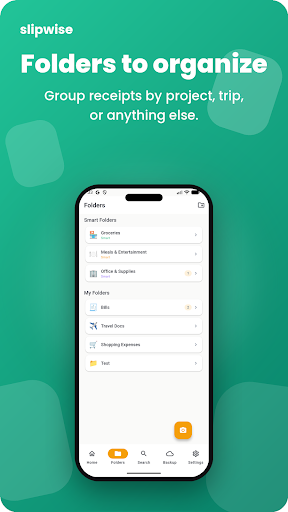
• Smart organization — Auto-tag receipts by vendor, date, or custom category. Powerful search finds any receipt in seconds.
• Multiple formats — Import existing photos (JPEG/PNG) or save as PDF for clean archival.
• PDF export — Export a single receipt or merge multiple receipts into one PDF with just the image content — no metadata, no headers, no clutter.
• Encrypted backup — Optional AES-256-GCM encrypted backup to your personal Google Drive. Your passphrase never leaves your device and Slipwise never sees plaintext data.
• Full-resolution originals — Original images are preserved at full quality, never downscaled for storage.
• Quick edit — Rename, re-categorize, or adjust extracted fields with a single tap.
• Light & dark themes — Comfortable viewing in any lighting.
BUILT FOR PRIVACY
Slipwise does not collect, share, or transmit any of your data. All OCR, categorization, and search run locally on your device. Cloud backup is 100% opt-in, encrypted end-to-end, and stored in your own Drive account. There are no third-party analytics, no advertising SDKs, and no trackers.
PERFECT FOR
• Freelancers and contractors tracking tax-deductible expenses
• Small business owners keeping receipts organized for bookkeeping
• Travelers who need to reimburse business trips
• House bills, receipts, documents to store safley and find the in seconds
• Anyone tired of shoeboxes full of faded thermal paper
No subscriptions. No hidden fees. One price, yours forever.
Got feedback? Email [email protected] — we read every message.
如何下载 Slipwise APK
- 在 APK Downloader 输入应用包名
com.slipwise.receipt_vault。 - 选择您的设备架构(现代设备推荐选择 ARM64)。
- 点击 下载 获取合并后的 APK 文件。
- 传输并安装 APK 到您的 Android 设备上。
- 保持更新: 定期访问 APKDER.COM 以搜索并下载您最喜爱的应用的最新安全版本。
常见问题
是的!APKDER 提供的每次 APK 下载都经过严格的安全验证。我们验证 APK 文件的加密签名是否与开发者的官方签名匹配,确保 APK 是原始且未经修改的。
要安装它,您首先需要在 Android 设备的安全设置中启用“未知来源”。从 APKDER 下载 APK 文件后,点击它开始安装,并按照屏幕提示操作。
是的!一旦开发者发布 Slipwise 的新版本,我们就会在 APKDER 上更新并发布。您只需下载并覆盖安装新的 APK,无需删除旧版本,也不会丢失应用数据。
是的。APKDER 允许您绕过地域限制并直接下载官方 APK 文件,即使该应用或游戏在您所在国家/地区物商店中未正式上架。
标准 APK 是单个安装包。而 XAPK 或 Split APK 则包含打包在一起 of 多个资源文件(如 OBB 扩展数据包或特定于设备的布局部件)。要安装它们,您可以单独下载拆分的包,或使用 Split APKs Installer (SAI) 等辅助工具。
安全与签名验证
此 APK 下载 100% 安全。我们验证文件的加密签名与官方开发者的凭据相匹配。无任何修改或广告注入。


