
下载来源
Device Configuration
Split APKs Installation Guide
某些应用以 Split APKs(打包在一起的多个 .apk 文件)形式分发以优化资源。标准的 Android 安装程序无法打开它们。
相关应用




新版变化
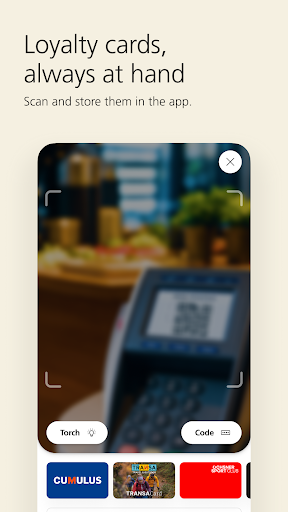
• Brand-new QR code scanner: When paying, you can now switch directly to your desired payment method.
• Smooth experience: We’ve fixed errors and improved functionality.
• We hope you enjoy the new version of the app.
关于此应用
UBS TWINT is the most widely used mobile payment app in Switzerland: send and receive money digitally with your smartphone – discover the advantages of contactless payment with UBS TWINT!
With well over one million registrations, UBS TWINT is the Swiss no. 1 in mobile payment and Switzerland’s digital cash. Paying digitally, sending money directly to or receiving money from friends has never been easier. Paying for parking without coins or shopping at Coop and Migros without cash is no problem via the app.
WHAT TWINT CAN DO
<Send, receive and request money: Send, request and receive money quickly and securely via smartphone to and from friends, family and colleagues.
Pay in an online store: Save valuable time when shopping online, scan the QR code at checkout, or switch to the TWINT app to authorize the payment (e.g., at ticketcorner.ch, microspot.ch, SBB, Coop, Swisscom and Migros).
KeyClub points: Collect valuable points when paying via TWINT using the registered UBS Credit Card.
Vouchers and credit: Buy, send and receive digital vouchers and credit for yourself or as a gift with just a few clicks.
Pay parking fees: Pay parking fees at public parking lots by using location tracking in the app or QR code on the parking meter.
Fuel up with a QR code: UBS TWINT saves you a trip to the ATM or gas station store. Simply scan the QR code at the gas pump, confirm payment and you're good to go.
In-app payment: Use TWINT as a secure method of payment in the apps of SBB, Fairtiq, Lezzgo and many more to buy tickets without cash.
Pay cashless at the register: Conveniently pay cashless with your smartphone in the store, restaurant, farm shop at any card terminal with QR codes (e.g., at SBB or Migros) or via TWINT Beacon (e.g., at Coop or Swiss Post).
Withdraw cash: Sometimes you can only pay with cash. That’s why TWINT has integrated “Sonect.” It allows you to get cash quickly and easily using the “Withdraw cash” feature, without the need for an ATM.
Donate: Donate money to Swiss aid organizations and their projects for charitable purposes.
Benefit from Super Deals: To benefit from these weekly discount offers, simply select the “Super Deals” partner feature in the TWINT app and look for the right offer. After confirming your shopping cart, you can easily pay with UBS TWINT. Benefit now and save money.
Order coffee: Use the app or the QR code on the Nespresso machine to access the partner feature, log in with your Nespresso customer data, order and pay securely with UBS TWINT.
SECURE IS SECURE
• Meets the security standards of Swiss banks
• All data remains in Switzerland
• Protected by 6-digit PIN or fingerprint
• The UBS TWINT account can be blocked at any time
UBS Switzerland AG has only made the UBS TWINT app (“app”) available to the following persons, for whom it was exclusively designed: For (i) existing clients of UBS Switzerland AG and existing clients of other non-US subsidiaries of UBS Group AG who are domiciled in Switzerland, and (ii) natural persons who are domiciled in Switzerland. The fact that the app can be downloaded from non-Swiss app stores does not constitute an invitation, offer or recommendation to enter into a transaction, nor should it be construed as an invitation or offer to enter into a client relationship between the person downloading the app and UBS Group AG companies. The app is not intended for and cannot be used by persons resident in Australia or the USA.
ADDITIONAL INFORMATION
http://www.ubs.com/twint
如何下载 UBS TWINT APK
- 在 APK Downloader 首页 输入应用包名
com.ubs.Paymit.android。 - 选择您的设备架构(现代设备推荐选择 ARM64)。
- 点击 下载 获取合并后的 APK 文件。
- 传输并安装 APK 到您的 Android 设备上。
- 保持更新: 定期访问 APK Downloader 以搜索并下载您最喜爱的应用的最新安全版本。
安全与签名验证
此 APK 下载 100% 安全。我们验证文件的加密签名与官方开发者的凭据相匹配。无任何修改或广告注入。