

VibeMe AI: Music Video Maker APK 截图
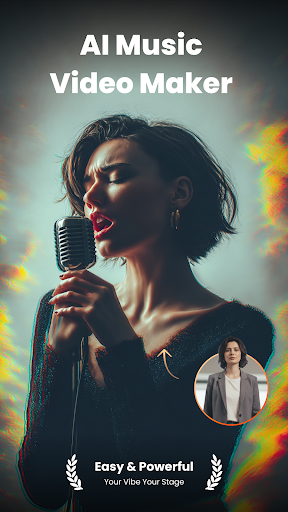


VibeMe AI: Music Video Maker 应用信息
下载来源
Device Configuration
Split APKs Installation Guide
某些应用以 Split APKs(打包在一起的多个 .apk 文件)形式分发以优化资源。标准的 Android 安装程序无法打开它们。
VibeMe AI: Music Video Maker 新版变化
- Performance and user experience optimization
- UI improvements and bug fixes
关于此应用 VibeMe AI: Music Video Maker
VibeMe AI: Where Any Photo Becomes a Singing Video!
Your Vibe, Your Stage — Powered by AI.
Turn any image into a lively, singing video with just one tap. No editing experience needed—VibeMe AI turns your photos into animated performances instantly.
🎭 Bring Photos to Life
Breathe life into any photo containing a face. Powered by cutting-edge AI, this feature turns sketches, portraits, and digital art into captivating performances. Watch them sing and dance with stunning realism.
✨ How It Works:
1. Upload a photo
2. Choose a sound—hit songs
3. Tap “animate” and watch your photo perform
4. Share the fun on social media or with your friends
🎵 Endless Sound Choices:
- Hit SongsLet your photos sing rock anthems, pop classics, or karaoke favorites. Great for selfies, kids’ pics, or friends’ photos.
- Viral Meme SoundsJump on trends with animated photos lip-syncing to internet sensations.
- Movie & TV QuotesMatch the perfect phrase to your image and create hilarious combinations.
We constantly add new and exciting hits to keep songs fresh!
Download VibeMe AI now—Create, laugh, and share in seconds!
In case of any questions, issues, or collaboration requests, contact us at [[email protected]]
Terms and Conditions: https://help.vibemeai.net/vibeme-ai-terms.html
Privacy Policy: https://help.vibemeai.net/vibeme-ai-privacy.html
【Contact us】
-Youtube www.youtube.com/@VibeMeAI
- Ins https://www.instagram.com/vibeme.ai/
- Tiktok https://www.tiktok.com/@vibeme_ai
- X https://x.com/VibeMe_AI
用户评论

希望可以加入邮箱登录方式,不然换设备挺麻烦。

每天有免费的就可以好用

不错

cool
如何下载 VibeMe AI: Music Video Maker APK
- 在 APK Downloader 输入应用包名
com.ztgame.vibeme。 - 选择您的设备架构(现代设备推荐选择 ARM64)。
- 点击 下载 获取合并后的 APK 文件。
- 传输并安装 APK 到您的 Android 设备上。
- 保持更新: 定期访问 APKDER.COM 以搜索并下载您最喜爱的应用的最新安全版本。
常见问题
是的!APKDER 提供的每次 APK 下载都经过严格的安全验证。我们验证 APK 文件的加密签名是否与开发者的官方签名匹配,确保 APK 是原始且未经修改的。
要安装它,您首先需要在 Android 设备的安全设置中启用“未知来源”。从 APKDER 下载 APK 文件后,点击它开始安装,并按照屏幕提示操作。
是的!一旦开发者发布 VibeMe AI: Music Video Maker 的新版本,我们就会在 APKDER 上更新并发布。您只需下载并覆盖安装新的 APK,无需删除旧版本,也不会丢失应用数据。
是的。APKDER 允许您绕过地域限制并直接下载官方 APK 文件,即使该应用或游戏在您所在国家/地区物商店中未正式上架。
标准 APK 是单个安装包。而 XAPK 或 Split APK 则包含打包在一起 of 多个资源文件(如 OBB 扩展数据包或特定于设备的布局部件)。要安装它们,您可以单独下载拆分的包,或使用 Split APKs Installer (SAI) 等辅助工具。
安全与签名验证
此 APK 下载 100% 安全。我们验证文件的加密签名与官方开发者的凭据相匹配。无任何修改或广告注入。
