
下载来源
Device Configuration
Split APKs Installation Guide
某些应用以 Split APKs(打包在一起的多个 .apk 文件)形式分发以优化资源。标准的 Android 安装程序无法打开它们。
相关应用




新版变化
UI/UX improvements
2FA Improvements
Bug fixes
关于此应用
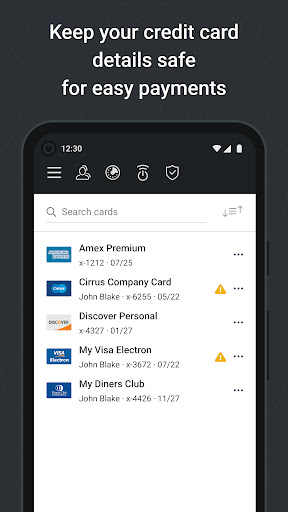
Total Password is a smart password manager, ideal for busy people who don’t have time for remembering all logins and passwords. We manage and protect all of your data and online privacy with deeply integrated encryption. Quickly fill passwords by using the Android Auto-fill service on android version 8.0+ with backward support for older versions up to 5.0.
Fills your passwords in most browsers and apps.
✔Offline encryption: your data is yours alone, period.
✔ Two-factor authentication.
✔ Credit cards storing.
✔ SecureMe feature: remote logout from websites, clear cookies, history and close tabs.
✔ Security report.
USE OF ACCESSIBILITY
Total Password uses Android Accessibility to ensure a smooth experience filling logins across apps and websites on browsers and older versions of Android that don't support Android's Autofill feature.
如何下载 Total Password APK
- 在 APK Downloader 首页 输入应用包名
net.protected.totalpassword。 - 选择您的设备架构(现代设备推荐选择 ARM64)。
- 点击 下载 获取合并后的 APK 文件。
- 传输并安装 APK 到您的 Android 设备上。
- 保持更新: 定期访问 APK Downloader 以搜索并下载您最喜爱的应用的最新安全版本。
安全与签名验证
此 APK 下载 100% 安全。我们验证文件的加密签名与官方开发者的凭据相匹配。无任何修改或广告注入。