
下载来源
Device Configuration
Split APKs Installation Guide
某些应用以 Split APKs(打包在一起的多个 .apk 文件)形式分发以优化资源。标准的 Android 安装程序无法打开它们。



关于此应用
IMPORTANT : This app is designed for computers or tablets (big screen), not a mobile phone.
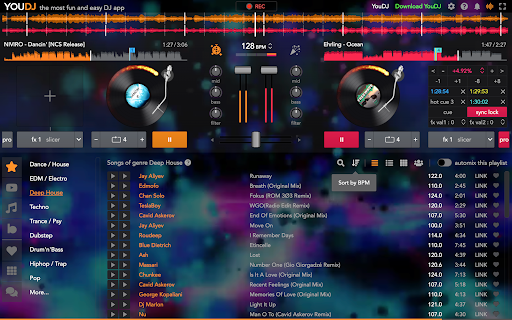
YouDJ is the most easy DJ software. Mix music like a pro DJ even if it is your first time! You don't need music either, YouDJ comes with great songs too. Also it is mostly free and with no ad!
YouDJ offers all must-have DJ tools :
- Super fun and easy-to-use virtual DJ turnables
- includes all must-have DJ tools you need to mix music
- tools : scratch, beatsync, mixer, loops, eq, effects, sampler…
- music included in the app with +3000 songs
- browse music by genre (house, dance...)
- automix your playlists
- video DJ player
- midi DJ controllers
- record your mixes...
Try it by yourself, it is free :)
Erik the YouDJ programmer
如何下载 YouDJ Mixer for Chromebook APK
- 在 APK Downloader 首页 输入应用包名
youdj.online。 - 选择您的设备架构(现代设备推荐选择 ARM64)。
- 点击 下载 获取合并后的 APK 文件。
- 传输并安装 APK 到您的 Android 设备上。
- 保持更新: 定期访问 APK Downloader 以搜索并下载您最喜爱的应用的最新安全版本。