


Download Sources
Device Configuration
Split APKs Installation Guide
Some apps are distributed as Split APKs (multiple .apk files packaged together) to optimize resources. Standard Android installers cannot open them.
What's New
This update includes improvements to keep the app running smoothly and enhance your overall experience.
About This App
✨ WRITE, REPLY & SUMMARIZE IN SECONDS — ALL WITH AI
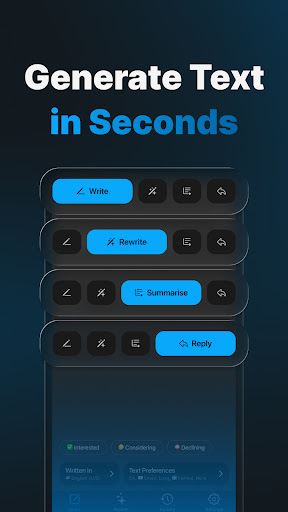
Scrito AI transforms how you communicate. Whether it’s an email, message, or text, just tell Scrito what you need — it drafts the perfect reply, summary, or letter in seconds.
🧠 KEY FEATURES
• ✍️ Smart Email Writer & Generator – Create full emails from prompts in your voice
• ⚡ Instant Replies & Message Drafts – Paste a message and let Scrito reply for you
• 📝 Summarize & Rewrite – Turn long emails or articles into crisp summaries
• 🌍 Multilingual Support – All major languages supported
• 🎨 Customize Your Voice – Control tone, length, style, emojis
• ♾️ Unlimited Requests – Available with subscription
• 🛡️ Plagiarism-Free Content – Always original writing
🚀 WHY USE SCRITO AI
Tired of staring at a blank screen or drafting awkward replies? Scrito AI gives you wings. Use your personal writing voice, save your favorite prompts, and let AI help you get through your inbox faster.
💼 USE CASES
• Reach out with proposals, follow-ups, or cold outreach emails
• Reply to work, client, or internal inboxes with clarity
• Summarize meeting notes or long threads
• Rewrite drafts to match your tone (friendly, formal, concise)
🌟 BENEFITS
• ⏱ Save Hours Every Week – Write faster than you can type. Scrito AI drafts replies in seconds, saving you hours daily.
• 🗣 Sounds Like You, Not a Robot – Customize tone, length, emojis, and more so your writing matches your personal style.
• 📱 Works Anywhere, Anytime – Scrito fits into your workflow—whether you’re in line, on a break, or on a plane.
📄 Privacy Policy: https://scrito.ai/privacy-policy
📜 Terms of Use: https://scrito.ai/terms-of-use
User Reviews

Very usefull app,a you can transform even the most informal phrasing so that it sounds professional with a friendly tone

Amazing writing assistant. Super easy to use and surprisingly accurate - definitely worth trying!
How to Download Scrito AI Email Message Writer APK
- Enter the package name
ai.scrito.mailon the APK Downloader. - Select your device architecture (ARM64 recommended for modern devices).
- Click Download to get the merged APK file.
- Transfer and install the APK on your Android device.
- Keep Updated: Visit APKDER.COM regularly to search for and download the latest secure versions of your favorite apps.
Security & Signature Verification
This APK download is 100% safe. We verify that the cryptographic signature of the file matches the official developer credentials. No modifications or adware are injected.

