Threema OnPrem. Self-Hosted

Threema OnPrem. Self-Hosted

Threema GmbH
★★★★★ 4.5 Communication v6.4.3o 50,000+
Verified Safe & Direct
Download APK Google Play
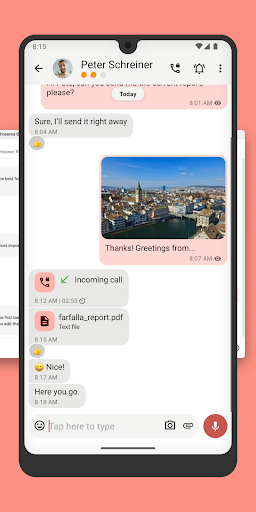
Threema OnPrem. Self-Hosted Screenshot 1Threema OnPrem. Self-Hosted Screenshot 2Threema OnPrem. Self-Hosted Screenshot 3Threema OnPrem. Self-Hosted Screenshot 4Threema OnPrem. Self-Hosted Screenshot 5Threema OnPrem. Self-Hosted Screenshot 6
Version
6.4.3o
Downloads
50,000+
Updated
Jun 9, 2026
Developer
Threema GmbH
Category
Communication
Content Rating
Everyone
Package
ch.threema.app.onprem
Platform
Android

Download Sources

Device Configuration

Split APKs Installation Guide

Some apps are distributed as Split APKs (multiple .apk files packaged together) to optimize resources. Standard Android installers cannot open them.

1. Download Split APKs Installer (SAI) from Google Play Store.
2. Download the app archive (.apks) using the download sources listed above.
3. Open SAI, click "Install APKs", choose the downloaded archive, and click Install.

What's New

- Various improvements and bug fixes

About this app

Threema OnPrem is the self-hosted communication solution for organizations with the highest security requirements. The combination of Threema’s proven security architecture and complete data sovereignty creates an independent communication environment that is unmatched in terms of confidentiality – ideal for government agencies, police forces, and industrial companies.

Advantages of Threema OnPrem:
• 100% data sovereignty through hosting on your own servers
• Proven Threema security architecture
• Confidential communication in teams, groups, and projects
• End-to-end encrypted voice and video calls
• Secure exchange of files and documents in all formats
• Cross-platform use thanks to mobile app, desktop app, and web client
• Additional protection of confidential chats with PIN or fingerprint

NOTE: Before you can use this app, Threema OnPrem must be set up on your company server. For more information, visit threema.com/onprem.

Enjoy using Threema OnPrem!

User Reviews

Md Shamim Aug 17, 2024
★★★★★

Mdshamim

Douglas Mabele Jul 24, 2024
★★★★☆

Better

How to Download Threema OnPrem. Self-Hosted APK

  1. Enter the package name ch.threema.app.onprem on the APK Downloader.
  2. Select your device architecture (ARM64 recommended for modern devices).
  3. Click Download to get the merged APK file.
  4. Transfer and install the APK on your Android device.
  5. Keep Updated: Visit APKDER.COM regularly to search for and download the latest secure versions of your favorite apps.

Security & Signature Verification

This APK download is 100% safe. We verify that the cryptographic signature of the file matches the official developer credentials. No modifications or adware are injected.

Identity Special Access
  • find accounts on the device
  • add or remove accounts
Contacts Special Access
  • find accounts on the device
  • read your contacts
  • modify your contacts
Location Special Access
  • approximate location (network-based)
  • precise location (GPS and network-based)
Phone Special Access
  • directly call phone numbers
  • read phone status and identity
Photos/Media/Files Basic Access
  • read the contents of your USB storage
  • modify or delete the contents of your USB storage
Storage Basic Access
  • read the contents of your USB storage
  • modify or delete the contents of your USB storage
Camera Special Access
  • take pictures and videos
Microphone Special Access
  • record audio
Wi-Fi connection information Basic Access
  • view Wi-Fi connections
Device ID & call information Special Access
  • read phone status and identity
Other Basic Access
  • view network connections
  • create accounts and set passwords
  • pair with Bluetooth devices
  • full network access
  • change your audio settings
  • read sync settings
  • run at startup
  • control vibration
  • prevent device from sleeping
  • toggle sync on and off
  • install shortcuts
  • Google Play license check
  • receive data from Internet

More by this Developer

Related Applications