
Download Sources
Device Configuration
Split APKs Installation Guide
Some apps are distributed as Split APKs (multiple .apk files packaged together) to optimize resources. Standard Android installers cannot open them.
Related Applications



What's New
Removes the Location permission prompt that was inadvertently being triggered when enabling MIDI devices. (Location permission is required for scanning for bluetooth MIDI devices but not wired ones. Bluetooth scanning has been disabled for now but should be included in the next update!)
About this app
Learn to Read Music with Note Rush! Note Rush boosts your note reading speed and accuracy, building a strong mental model of where each written note is on your instrument. Now even better with Note Rush: 2nd Edition!
How it Works
---------------------------
Note Rush is like a virtual flash card deck for all ages that listens to you play each note, giving instant feedback and awarding stars based on speed and accuracy of note identification.
Race against the clock to improve your performance or hide the timer to gently engage those just starting out with the staff.
Includes built-in levels for piano and a range of other instruments as well as custom level design.
What makes Note Rush Different?
---------------------------
- Play On Your Instrument
Note reading is best learnt in the context of how you identify and play each note - on your acoustic or MIDI instrument.
- Designed for Teachers
...and not as a replacement for them! Create fully customizable note sets and easily send them home to students.
- Fun Themes
Engage with fun themes that don't get in the way of learning, or opt for traditional notation.
Landmarks: The best way to learn your notes
---------------------------
Note Rush fits with all teaching methods, whether you favor a purely intervallic approach or use traditional mnemonics! We promote learning key landmark notes then reading adjacent notes intervallically for the best results in learning to read piano notation.
Note Rush features a unique landmarks-based hints system (optional) that highlights nearby landmark notes to read intervallically from. Over time students naturally move from reliance on landmarks to a more intrinsic staff-to-keyboard association.
Preset and Custom Levels
---------------------------
Use preset note ranges or create your own set of levels to suit your teaching style. Create a personalized level to target a particular student’s needs.
- Individual Note Selections
- Sharps and Flats
- Treble, Bass or Grand Staff (alto and tenor coming soon)
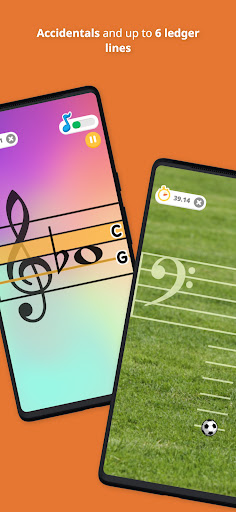
- Up to Six Ledger Lines
- Send custom note reading drills using App Links or QR Codes
How to Download Note Rush: Learn to Read Music APK
- Enter the package name
com.TGSoftware.NoteRushon the APK Downloader homepage. - Select your device architecture (ARM64 recommended for modern devices).
- Click Download to get the merged APK file.
- Transfer and install the APK on your Android device.
- Keep Updated: Visit APK Downloader regularly to search for and download the latest secure versions of your favorite apps.
Security & Signature Verification
This APK download is 100% safe. We verify that the cryptographic signature of the file matches the official developer credentials. No modifications or adware are injected.