
Download Sources
Device Configuration
Split APKs Installation Guide
Some apps are distributed as Split APKs (multiple .apk files packaged together) to optimize resources. Standard Android installers cannot open them.
Related Applications


What's New
Thanks for using Planner!
The new version improves the app stability and fixes some minor bugs to help us serve you better.
We're glad to hear your feedback. If you have any questions or suggestions please feel free to contact us at [email protected] .
About this app
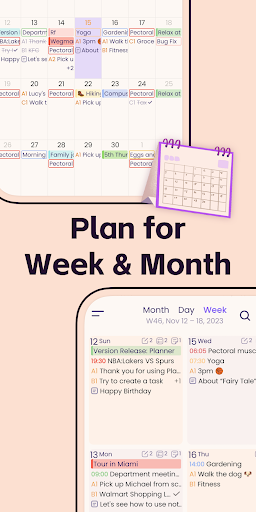
Designed for those people who’re looking for a full-featured app to manage daily life better. Planner Pro, which costs years for designing and coding is now coming out for everybody especially those Franklin Covey Planner heavy users. We combine events, tasks and notes in one place so that you do not need to spend extra money for other apps, and it can be used as day planner, week planner and month planner.
Planner Pro provides kinds of settings for different requirements from kinds of people. You’ll find the best way to meet your requirements in our app. Also, if you have any other great ideas or suggestions to make this app better please contact us with an email, which will be very appreciate.
Events
- Sync with Google calendar and events
- Show or hide calendars as you want
- Add, edit or delete events easily
- Supports full recurring period
- Manually time slot
- Supports all-day & cross-day events
Tasks
- Supports tasks and projects with sub-tasks
- Supports recurring tasks and projects
- 5 different status for tasks and projects
- 25 priorities for tasks and projects
- System reminder for each task
Notes
- Unlimited number of notes for each day
- Manage notes in day, week and month view
- Easily to add, edit and delete notes
Pomodoro
- Add any activities you want to focus on
- Study, work, fitness, entertainment and other categories for activities
- Add reminders for each activity
- Multiple white noise and alert tones to choose from
- Supports quick focus
- Supports continuous timing or manual timing
Other Key Features
- Day, Week, Month and Tasks modules for better management
- Very well designed user interface
- Full records searching including events, tasks and notes
- Set the first day of week manually
- Select the launch view as you want
This version is an ad-supported version and has some function restrictions, we also offer an ad-free version which is available as subscription.
Payment models for Premium Subscription:
- $3.99/month
- $19.99/year
Please note the subscription is automatically renewed unless you choose to cancel the subscription at least 24 hours before the end of the current period in Subscriptions on Google Play.
Permissions Used in Planner Pro:
1. Calendar: Planner Pro needs this permission to read events from local calendars.
2. Contacts: Planner Pro needs this permission to read contact from local device when you choose to invite an attendee from local contacts.
3. Files and media: Planner Pro needs this permission to read photos from Gallery when you choose to upload a photo.
4. Microphone: Planner Pro needs this permission to record audio and directly add audio files to the note.
We're glad to hear your feedback. If you have any problems or suggestions please send a mail to [email protected], you’ll get a response in a short time.
How to Download Planner Pro - Daily Calendar APK
- Enter the package name
com.appxy.planneron the APK Downloader homepage. - Select your device architecture (ARM64 recommended for modern devices).
- Click Download to get the merged APK file.
- Transfer and install the APK on your Android device.
- Keep Updated: Visit APK Downloader regularly to search for and download the latest secure versions of your favorite apps.
Security & Signature Verification
This APK download is 100% safe. We verify that the cryptographic signature of the file matches the official developer credentials. No modifications or adware are injected.