



Download Sources
Device Configuration
Split APKs Installation Guide
Some apps are distributed as Split APKs (multiple .apk files packaged together) to optimize resources. Standard Android installers cannot open them.
About This App
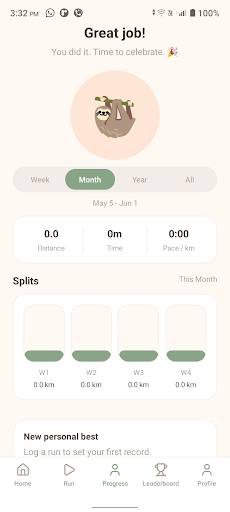
The Slothy Running App is a running and fitness companion built for people who want to stay consistent, see progress clearly, and keep motivation high over time. Whether you are starting a new routine or improving an existing one, the Slothy Running App gives you a simple place to track workouts, measure performance, and keep your goals visible every day.
With the Slothy Running App, you can log your runs and workouts, review your progress as it builds, and celebrate milestones that show how far you have come. The app is designed to make fitness feel manageable instead of overwhelming, helping you focus on steady improvement, healthier habits, and routines that actually last.
Use the Slothy Running App to stay organized, stay accountable, and stay encouraged. It is ideal for runners, walkers, and anyone working toward better health who wants a clean, easy-to-use app that turns daily effort into long-term momentum.
How to Download Slothy Running App APK
- Enter the package name
com.brilworksdigital.slothyappon the APK Downloader. - Select your device architecture (ARM64 recommended for modern devices).
- Click Download to get the merged APK file.
- Transfer and install the APK on your Android device.
- Keep Updated: Visit APKDER.COM regularly to search for and download the latest secure versions of your favorite apps.
Security & Signature Verification
This APK download is 100% safe. We verify that the cryptographic signature of the file matches the official developer credentials. No modifications or adware are injected.


