



Download Sources
Device Configuration
Split APKs Installation Guide
Some apps are distributed as Split APKs (multiple .apk files packaged together) to optimize resources. Standard Android installers cannot open them.
What's New
We refined BabyBright to make tracking progress and completing assessments feel smoother.
What's new:
- Updates to progress and profile screens
- Improvements to assessments and weekly tracking
- Stability, performance, and localization fixes
About this app
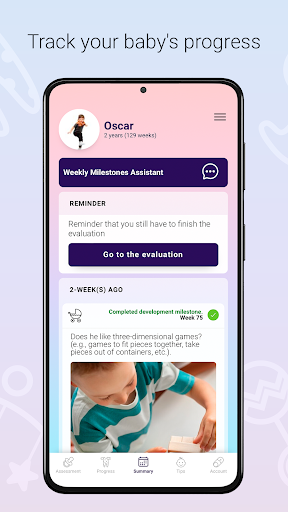
Track your baby's development and milestones from birth to age 3 with weekly progress monitoring, guided assessments, and expert-backed resources that help you better understand cognitive growth.
BabyBright helps you follow age-appropriate milestones, review weekly progress, explore learning and behavior insights, and support your child's development with clear, practical guidance. Whether you are following first words, movement, social skills, or everyday learning, it helps you spot progress early and stay involved at every stage.
BabyBright offers subscriptions through your Google Play account. Payment is charged at purchase confirmation. Subscriptions renew automatically unless canceled before the end of the current period. You can manage or cancel your subscriptions at any time in your Google Play account settings.
https://www.cognifit.com/terms-and-conditions
How to Download BabyBright - Baby's progress APK
- Enter the package name
com.cognifit.android.babieson the APK Downloader. - Select your device architecture (ARM64 recommended for modern devices).
- Click Download to get the merged APK file.
- Transfer and install the APK on your Android device.
- Keep Updated: Visit APKDER.COM regularly to search for and download the latest secure versions of your favorite apps.
Security & Signature Verification
This APK download is 100% safe. We verify that the cryptographic signature of the file matches the official developer credentials. No modifications or adware are injected.


