


Download Sources
Device Configuration
Split APKs Installation Guide
Some apps are distributed as Split APKs (multiple .apk files packaged together) to optimize resources. Standard Android installers cannot open them.
What's New
Revamped UI interaction, switch between keyboards seamlessly.
About this app
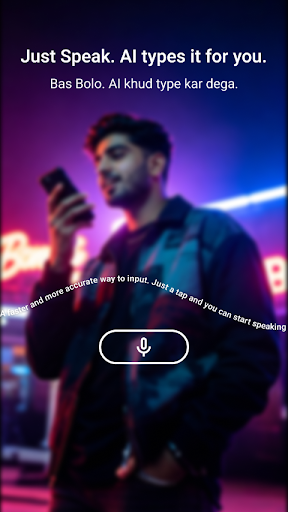
Elevate your Urdu typing with cutting-edge AI voice input! Seamlessly support Roman Urdu, Standard Urdu and mixed English-Urdu typing for a smoother, quicker and more natural experience. Step into the future of voice-to-text crafted for Urdu users.
⚡ 6x Faster Typing: Leave slow manual keyboards behind
⚡ٹائپنگ چھ گنا تیز: سست دستی کی بورڈز کو چھوڑ دیں
🌍 Built for Pakistan: Freely Mix Urdu & English Typing,Optimized for local accents & dialects
🌍 پاکستان کے لیے تیار: اردو اور انگریزی کو آزادانہ ملا کر ٹائپ کریں، مقامی لہجوں اور بولیوں کے لیے بہتر بنایا گیا
🎯 Superior Recognition: Leading Urdu speech accuracy in the industry
🎯 اعلیٰ آواز کی شناخت: انڈسٹری میں اردو آواز کی درستگی میں سرفہرست
🧠 Self-Learning AI: Grows more accurate with every use
🧠خود سیکھنے والا مصنوعی ذہانت: ہر استعمال کے ساتھ درستگی بڑھتی جاتی ہے
👉Say it now — type naturally, in Urdu & English.
User Reviews

⭐️⭐️⭐️⭐️⭐️ Excellent keyboard app! Dada Bolo is easy to use, smooth, and responsive. The Voice experience is fast and accurate, and the interface is clean and user friendly. Highly recommended for anyone looking for a reliable keyboard app. Great work by the developers! 👍

Very good app
How to Download Bolo AI Keyboard:Voice Typing APK
- Enter the package name
com.dada.aivoice.keyboardon the APK Downloader. - Select your device architecture (ARM64 recommended for modern devices).
- Click Download to get the merged APK file.
- Transfer and install the APK on your Android device.
- Keep Updated: Visit APKDER.COM regularly to search for and download the latest secure versions of your favorite apps.
Security & Signature Verification
This APK download is 100% safe. We verify that the cryptographic signature of the file matches the official developer credentials. No modifications or adware are injected.


