
Version
1.0.1
Downloads
1,000+
Updated
Aug 19, 2024
Developer
Gate.com
Category
Tools
Content Rating
Everyone
Package
com.gateio.web3HardwareWalletUpgrade
Platform
Android
Download Sources
Device Configuration
Split APKs Installation Guide
Some apps are distributed as Split APKs (multiple .apk files packaged together) to optimize resources. Standard Android installers cannot open them.
1.
Download Split APKs Installer (SAI) from Google Play Store.
2.
Download the app archive (.apks) using the download sources listed above.
3.
Open SAI, click "Install APKs", choose the downloaded archive, and click Install.
About This App
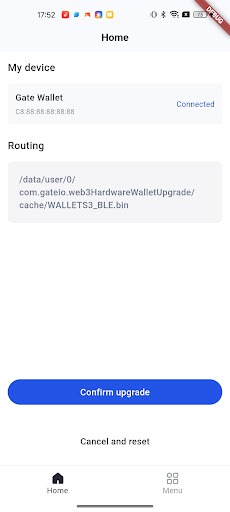
The App allows users to perform upgrades on supported hardware devices via a secure Bluetooth connection. We are committed to simplifying the upgrade process while ensuring data integrity and device stability.
User Reviews

king “treds party coingecko” Emadland
Nov 22, 2025
feedback from my email address 👍

Muhammad Asifsarwar Muhammad sarwar
Dec 10, 2024
Good job
How to Download Hardware Wallet UP APK
- Enter the package name
com.gateio.web3HardwareWalletUpgradeon the APK Downloader. - Select your device architecture (ARM64 recommended for modern devices).
- Click Download to get the merged APK file.
- Transfer and install the APK on your Android device.
- Keep Updated: Visit APKDER.COM regularly to search for and download the latest secure versions of your favorite apps.
Security & Signature Verification
This APK download is 100% safe. We verify that the cryptographic signature of the file matches the official developer credentials. No modifications or adware are injected.