



Download Sources
Device Configuration
Split APKs Installation Guide
Some apps are distributed as Split APKs (multiple .apk files packaged together) to optimize resources. Standard Android installers cannot open them.
What's New
Bug fixes.
About this app
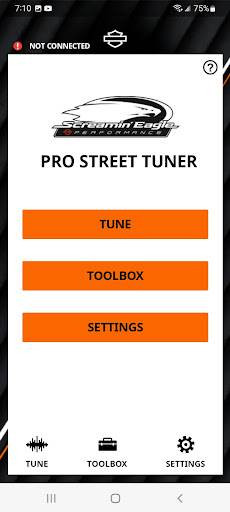
The Screamin' Eagle Street Tuner App is for use exclusively with the Screamin’ Eagle® Pro Street Tuner Bluetooth communication module that is sold as an accessory for select Harley-Davidson® models.
The Screamin’ Eagle® Street Tuner App is designed to simplify management of engine operating parameters as performance modifications are made. Once the Tuner hardware module is installed, this app allows you to upload the latest Engine Control Module (ECM) calibrations to match your bike’s state-of-tune or perform a Smart Tune session to tailor the base calibration to your custom ride.
• Download Screamin’ Eagle® calibrations from a vast calibration library
• Perform a Smart Tune session* to tailor the calibration
• Store run-time data
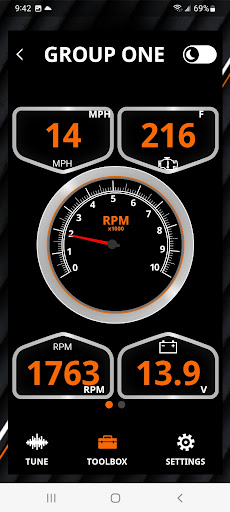
• View performance gauges and vehicle data
• View and clear diagnostics functions
*Smart Tune not available in all markets.
User Reviews

Could be much better. First off, make sure you front & display size is small enough otherwise you may not see the buttons for some of the screens. If you get the 'Programming Only Allowed In Sport Mode' screen and can't see a button, this is your problem. After I started putting the bike in recording mode, my phone started warning the program had stopped responding and giving me an option to wait or shut it down. It was still working in the background, but I had to kept clicking Wait.

App works but needs some work. Using a Galaxy S21 Ultra. Works fine but at times can be very buggy where it unpairs while being on the bike or just quits unexpectedly while flashing. Luckily crash recovery and data saving was coded well so its easy to continue where you left off. I'd like it if Harley will come out with a new race tuner like the old Orange ones. Many of us don't give 3 craps about the EPA or warranty. Don't get me wrong, included tunes are great. Us tinkerers like more power!

This app is decent and works to program your bike 'in the field's without wires or needing a laptop. It takes just a couple of minutes to put the bike into tuning mode, then ride and record. The app will take any of the recordings you made and aggregate them into one, new, overall map for your bike. Huge step forward from the 'old' way.

Was able to upload the stage I tune..but not able to complete a smart tune session. Stops recording after about 5 minutes. If I stop the recording and try to save the data..it says "connot save..no data recorded". No other bluetooth devices..screen lock turned off. Running android ver 14. I have 460GB of available storage on my phone. No help anywhere in the documentation or online. Smart tune is part of what I paid for.. doesn't work.. went to the Dealer..they said they had no clue.
How to Download Screamin' Eagle Street Tuner APK
- Enter the package name
com.harley_davidson.setuneron the APK Downloader. - Select your device architecture (ARM64 recommended for modern devices).
- Click Download to get the merged APK file.
- Transfer and install the APK on your Android device.
- Keep Updated: Visit APKDER.COM regularly to search for and download the latest secure versions of your favorite apps.
Security & Signature Verification
This APK download is 100% safe. We verify that the cryptographic signature of the file matches the official developer credentials. No modifications or adware are injected.
