



Download Sources
Device Configuration
Split APKs Installation Guide
Some apps are distributed as Split APKs (multiple .apk files packaged together) to optimize resources. Standard Android installers cannot open them.
What's New
At Holafly, we make it easy to stay connected while you travel.
This update includes general bug fixes and performance improvements.
Questions? Reach us 24/7 in-app or at holafly.com
About this app
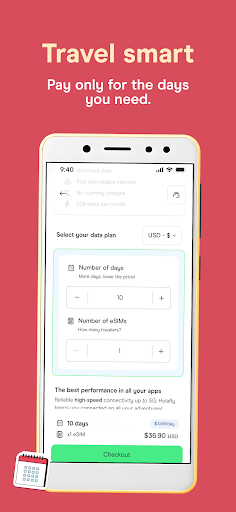
Enjoy unlimited internet freedom with our prepaid eSIM card for travel!
User Reviews

Terrible. The data will randomly drop/lose all connection pretty often. The speed doesn't seem very fast for full bars 4g or 5g, I could be waiting 5 minutes for a page to load. After making my purchase I have never been able to login to the app. It "sends" a confirmation code to my email but I never recieve it. All in all its been a terrible experience.

Really horrible customer service. Ignored my email, gave me the runaround with ai customer service pretending to be humans, customer support chat in the app disappears or gets cancelled if you don't respond fast enough, they keep asking for an order number but tell you to look for it where it isn't. I paid 50 dollars a month and had no service for over a month after some point when it randomly decided to stop working even though it worked fine for the first month.

Never worked. I bought 3 days for a Caribbean cruise. I tested the esim before I left the US and it worked fine. When I arrived in The Bahamas and Jamaica it never worked. 4 different islands no data. The app is bad and it doesn't show your current plan or the active days that you paid for. The tech support messages disappear after a few days. The 1gb always on freebie is cool but again only works in the US.

Purchased service, worked great the first month...5 star experience. Renewed for a second month and data was too slow to use most days...2.5 star service. Once home and trying to cancel, they put me through a loop saying I can't cancel through the app, contact support. Then support saying they can't cancel for me, I had to cancel through the app. I had to tell support I would get my card company involved for them to cancel. Maybe a 2 star experience overall.
How to Download Holafly eSIM: Unlimited Data APK
- Enter the package name
com.holafly.holaflyon the APK Downloader. - Select your device architecture (ARM64 recommended for modern devices).
- Click Download to get the merged APK file.
- Transfer and install the APK on your Android device.
- Keep Updated: Visit APKDER.COM regularly to search for and download the latest secure versions of your favorite apps.
Security & Signature Verification
This APK download is 100% safe. We verify that the cryptographic signature of the file matches the official developer credentials. No modifications or adware are injected.


