


Download Sources
Device Configuration
Split APKs Installation Guide
Some apps are distributed as Split APKs (multiple .apk files packaged together) to optimize resources. Standard Android installers cannot open them.
About this app
Welcome to Huion Note: wonderfully, jet simple note-taking and annotation.
Students, teachers, and professionals use Huion Note daily to find inspiration, capture ideas.
Huion Note can work with a smart digital notebook of the same name to offer a smooth writing experience during note-taking and enable you to read and edit the notes on your phone or tablet in real time and to get digital notes more easily than taking photos or scanning paper documents.
Diverse editing tools such as pens, eraser, lasso tool, and so on are available in Huion Note to help you take class notes conveniently, write memos quickly, and create beautiful diaries.
Features:
[Handwrite Naturally ]
- Ink is fine-tuned for the M-Pencil & S Pen & OPPO Pencil for the most responsive, precise writing experience.
- Erase freehand ink or shapes with varied brush sizes.
[Sync To Your Phone And Tablet Simultaneously]
- Note down on Huion smart digital notebook and sync your handwriting to a phone or tablet so you will never lose them.
- Vectorize your handwritten notes to keep them legible despite zooming in or out.
[Design Your Notes Freely]
- Apply diverse pens and colors to highlight and mark different parts of a note.
- Design the layout of your notes with multiple editing tools such as an eraser and lasso tool or insert pictures to create unique and beautiful diaries.
- Choose from a great number of paper templates including ruled paper, squared paper, dot paper, Cornell paper, etc.
[Record Audio With One Tap]
- Record more details (not only words but also the sounds) during a lesson or a meeting.
- Make a recording while simultaneously writing on a notebook in Huion Note. Tap a certain word or mark in the note, and the audio will jump to the corresponding point.
- Record in sections, and the total duration of a recording within a notebook is up to 5 hours.
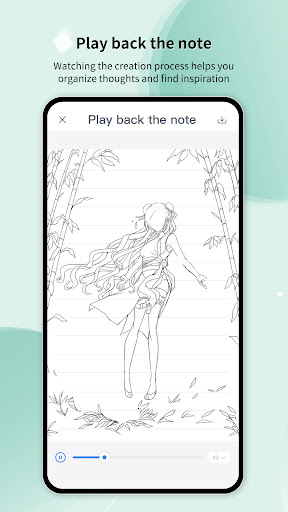
[Play Back The Creation Process Of Your Notes]
- Record the creation process of a note and save it as a video in the album of your phone for you to review at any moment and organize thoughts.
[Share Your Inspiration And Ideas Anytime]
- Export digital notes as PDFs, JPGs, Videos, or Huion Note format files to share your brilliant inspiration with others anytime.
Your feedback is important to us. Welcome to feedback your problems and suggestions on Feedback (Settings > Feedback) within Huion Note or send us an email ([email protected].). We will keep improving to serve you better. Thank you for your support!
User Reviews

I use it for work for the mydriad of things I track or make notes on. I mostly like it but the experience would be better if I was not Chronically asked to log in every few days. I keep everything up to date but the tablet sometimes refuses to connect to my phone. It also keeps thinking I am doing offline notes when I am not (and the light shows its paired). With some tweaks this app could be amazing but needs work.

I’ve been using Huion Note paired with the Huion notebook for a few months now, and it’s made note-taking much more convenient and efficient. My favorite feature is how seamlessly it syncs my handwritten notes into the app. After jotting things down in the notebook, everything appears digitally within seconds, making it easy to browse, search, or share later. This setup has been especially helpful during meetings and quick brainstorming sessions.

Was going great, as I found this app easy to navigate, pleasant to look at, with a decent amount of penmanship and essential note-taking features. What killed it was the inability to make the lined paper lines more narrow, or change the templates to something more suitable for my note taking needs. While it does come with a handful of decent templates, the lackluster ability to customize or even change anything at the bare minimum, made it a hard "no" for me.

I really like this app and love how it's free! I do have a couple suggestions of features you guys can add: a zoom box would be nice as you can't really zoom in that much on the page. Also, to be able to zoom in more would be pretty helpful. Another one is a math keyboard, that would be incredibly useful. Also a shapes tool or a feature where you can draw shapes and they'll develop nicely. Keep up the good work!
How to Download Huion Note : Easy note-taking APK
- Enter the package name
com.huion.hinoteson the APK Downloader. - Select your device architecture (ARM64 recommended for modern devices).
- Click Download to get the merged APK file.
- Transfer and install the APK on your Android device.
- Keep Updated: Visit APKDER.COM regularly to search for and download the latest secure versions of your favorite apps.
Security & Signature Verification
This APK download is 100% safe. We verify that the cryptographic signature of the file matches the official developer credentials. No modifications or adware are injected.


