
Draw Inspiration APK Screenshots


Draw Inspiration App Information
Download Sources
Device Configuration
Split APKs Installation Guide
Some apps are distributed as Split APKs (multiple .apk files packaged together) to optimize resources. Standard Android installers cannot open them.
What's New in Draw Inspiration
What’s new
🖼️ Images now adapt better to portrait and landscape for a cleaner viewing experience
📱 Improved image layout so artwork fits your screen more naturally
💬 Feedback text is clearer and easier to read across light and dark modes
About Draw Inspiration
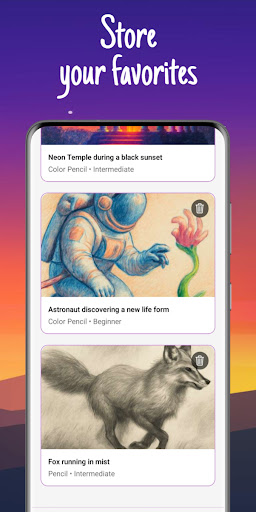
Draw Inspiration is your personal AI art idea generator — the easiest way to discover fresh drawing ideas, sketch references, and creative prompts in seconds.
Just describe what you want to draw — like “fantasy castle in the clouds” or “cat riding a bicycle” — and instantly receive a beautifully crafted AI-generated reference image designed to spark your next artwork.
Whether you're a beginner exploring simple sketches or an experienced illustrator looking for new concepts, Draw Inspiration helps you overcome art block, expand your creativity, and bring ideas to life faster. It works for every style of art: pencil drawing, watercolor painting, acrylics, digital art, and more.
The app is built for artists, designers, hobbyists, students, and anyone who wants to improve their drawing skills or find new inspiration every day.
🎨 Key Features
- AI-powered art idea generator — Turn any prompt into a unique reference image in seconds.
- Choose your artistic technique — Pencil, watercolor, color pencil, acrylic, or oil painting styles perfectly tuned for practice.
- Instant visual prompts — See your idea immediately, helping you draw faster and avoid creative blocks.
- Designed for all skill levels — Great for beginners learning shapes and composition, or advanced artists seeking new concepts.
- Perfect for sketching, painting, concept art, and creative exercises — Use it daily to grow your artistic imagination.
🌟 Why Artists Love It
- Helps overcome art block with unlimited inspiration
- Generates clean, beginner-friendly references
- Supports many techniques for traditional and digital artists
- Great for warm-up sketches, study sessions, and portfolio building
Find your next masterpiece idea — one inspiration at a time.
Unlock endless creativity with Draw Inspiration.
How to Download Draw Inspiration APK
- Enter the package name
com.jvnconsultancy.drawinspirationon the APK Downloader. - Select your device architecture (ARM64 recommended for modern devices).
- Click Download to get the merged APK file.
- Transfer and install the APK on your Android device.
- Keep Updated: Visit APKDER.COM regularly to search for and download the latest secure versions of your favorite apps.
Frequently Asked Questions
Yes! Every APK download provided by APKDER undergoes rigorous security verification. We verify that the cryptographic signature of the APK file matches the official signature from the developer, ensuring the APK is original, untouched, and free from any modifications.
To install it, you first need to enable "Unknown Sources" in your Android device's security settings. After downloading the APK file from APKDER, tap it to begin the installation and follow the on-screen prompts.
Yes! As soon as the developer releases a new version of Draw Inspiration, we will update and provide the updated APK on APKDER. You can simply download and install the new APK over the existing installation without losing your app data.
Yes. APKDER allows you to bypass geographic restrictions and download official APK files directly, even if the app or game is not officially available in your country's store.
A standard APK is a single installation package. An XAPK or Split APK contains multiple resource files (like OBB expansions or device-specific layout parts) packaged together. To install them, you can download splits individually or use dynamic helper tools like Split APKs Installer (SAI).
Security & Signature Verification
This APK download is 100% safe. We verify that the cryptographic signature of the file matches the official developer credentials. No modifications or adware are injected.


