
Download Sources
Device Configuration
Split APKs Installation Guide
Some apps are distributed as Split APKs (multiple .apk files packaged together) to optimize resources. Standard Android installers cannot open them.
Related Applications



What's New
Bug fixed.
About this app
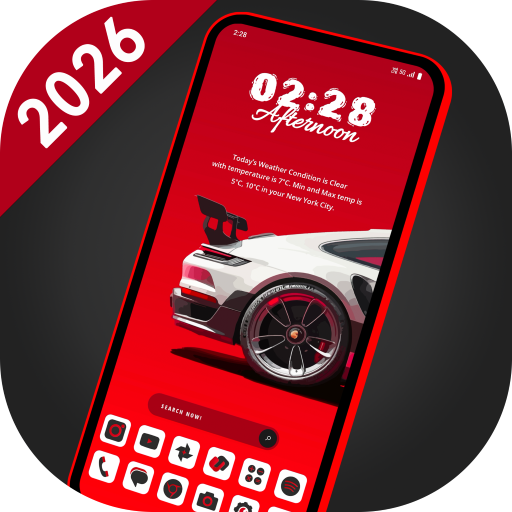
Welcome to FutureX Launcher, your gateway to a seamless and stylish Android experience. Unlock the power of AppLock, HideApp, Hitech Wallpaper, Folders, and Themes - all in one incredible package. With its futuristic UI, customizable themes, and powerful features, FutureX Launcher is the perfect way to make your Android phone feel like a brand new device. This latest launcher 2025 is a perfect user interface design which gives user to easy and better interactive control experience. It provides more wonderful and useful features and any color themes which enhance your phone with different styles.
Features:
🌄 Dynamic Wallpapers:
Dive into the world of dynamic hi-tech wallpapers that adapt to your chosen theme. Adjust color transparency to your preference and even use images from your personal gallery to personalize your home screen.
⏰ Widget:
Explore a comprehensive collection of widgets, including Clock, Weather, Memory Analyzer, Music Player, Calendar, Map, and Battery Widgets. All the essential information is right at your fingertips.
🔒 AppLock:
Secure your apps with ease using our built-in AppLock feature. No need for additional apps - for App lock feature.
🙈 HideApps:
Keep your sensitive apps discreet with our fingerprint hide app feature. Effortlessly conceal apps from your main app list for enhanced privacy.
🎨 Icon Pack Delight:
Discover our customizable icon pack, featuring an exclusive white icon set that adapts to your selected color. Enjoy full compatibility with third-party icon packs for endless personalization. Plus, our icons allow you to adjust both their color and padding to match your style perfectly.
🎨 Theme Color Selection:
Immerse yourself in a world of color with millions of theme color options. Watch as your entire launcher transforms to exude a futuristic hitech vibe.
⌨️ Futuristic Keyboard:
Choose from over 50 hi-tech keyboards that offer a futuristic typing experience within the launcher.
✋ Gesture Controls:
Master your device's navigation with intuitive gestures. Swipe, tap, and double-tap to execute various operations effortlessly.
📂 Organize with Folders:
Effortlessly manage your apps using our intuitive folder feature. Convert icons into folders and vice versa by simply long-pressing on them.
🎨 Personalize Your Device:
Transform your device by personalizing it to the fullest. Long-press to modify apps and create a truly tailored experience.
Download FutureX Launcher today and experience the future of Android launchers!
How to Download FutureX Launcher APK
- Enter the package name
com.lw.futurex.launcheron the APK Downloader homepage. - Select your device architecture (ARM64 recommended for modern devices).
- Click Download to get the merged APK file.
- Transfer and install the APK on your Android device.
- Keep Updated: Visit APK Downloader regularly to search for and download the latest secure versions of your favorite apps.
Security & Signature Verification
This APK download is 100% safe. We verify that the cryptographic signature of the file matches the official developer credentials. No modifications or adware are injected.