Download Sources
Device Configuration
Split APKs Installation Guide
Some apps are distributed as Split APKs (multiple .apk files packaged together) to optimize resources. Standard Android installers cannot open them.
Related Applications


What's New
Bug fixed.
About this app
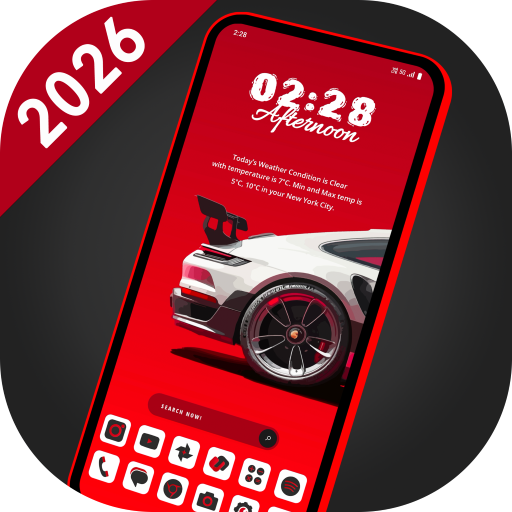
🚗 SuperCar Launcher – Built for Car Lovers, Powered by Style
Transform your Android home screen with SuperCar Launcher — a launcher crafted for supercar enthusiasts and customization lovers.
With 55 stunning car themes, built-in widgets, 30+ icon packs, and high-resolution wallpapers, SuperCar Launcher delivers the ultimate personalization experience.
⚡ Quick Access Customization Panel
🔸 Long-press on an empty area of the home screen to instantly open the customization panel.
From there, you can:
🧩 Re-arrange – Freely move and organize icons and widgets
🎭 Theme – Choose from 55 car-inspired themes
🧱 Add Widget – Add launcher or system widgets
🖼️ Wallpaper – Apply built-in or gallery wallpapers
📐 Home Screen – Adjust grid size, dock, icon size, and labels
🎨 Icon Pack – Apply from 30+ in-built icon packs
📱 App Page – Switch layout style, columns, and background
🌤️ Weather – Set your city for accurate weather updates
Tap the ⚙️ Settings icon in the panel for full launcher options.
🔥 Key Features
✅ 55 Car-Themed Setups
Race-inspired layouts with supercars, sports cars, and concept cars.
Find them under Settings → Look & Feel → Theme – no extra downloads!
✅ 30+ Built-in Icon Packs
Stylish icons that match each theme.
Access from Settings → Appearance → Icon Pack – no downloads needed.
✅ 55 High-Resolution Wallpapers
Custom-designed wallpapers with bold car aesthetics.
✅ Smart Custom Widgets
Includes Weather, Digital Clock, Analog Clock, Battery, Music, and Calendar.
✅ Supports System Widgets
Add and resize Android widgets with smooth drag & scale.
✅ Flexible Home Screen Customization
Change icon size, hide/show dock, adjust grid layout.
✅ Customizable App Drawer
Choose grid or list view, set columns, and tweak background colors.
✅ Swipe up on the home screen to open the App Drawer.
✅ Hide Apps from home & drawer
✅ Lock Apps with secure PIN
✅ Multi-Language Support, Available in 40+ languages for a global experience.
How to Download SuperCar Launcher – Car Themes APK
- Enter the package name
com.lw.supercarlauncheron the APK Downloader homepage. - Select your device architecture (ARM64 recommended for modern devices).
- Click Download to get the merged APK file.
- Transfer and install the APK on your Android device.
- Keep Updated: Visit APK Downloader regularly to search for and download the latest secure versions of your favorite apps.
Security & Signature Verification
This APK download is 100% safe. We verify that the cryptographic signature of the file matches the official developer credentials. No modifications or adware are injected.