

Mywellness for Professionals APK Screenshots




Mywellness for Professionals App Information
Download Sources
Device Configuration
Split APKs Installation Guide
Some apps are distributed as Split APKs (multiple .apk files packaged together) to optimize resources. Standard Android installers cannot open them.
About Mywellness for Professionals
Developed by Technogym, the Mywellness for Professionals mobile app was built for gym operators, personal trainers, physiotherapists, and staff working at fitness clubs, PT studios, corporate gyms, and similar facilities.
Whether you’re managing daily tasks, assigning workouts, or running group classes, the app gives you smart, intuitive tools that simplify your work and help you stay connected with clients—all right from your phone.
See who’s in
Receive real-time notifications when clients arrive to welcome them and encourage consistency.
Minimize churn
The advanced Drop Out Risk (DOR) algorithm flags clients at risk of leaving so you can take timely action and retain them.
Plan your schedule
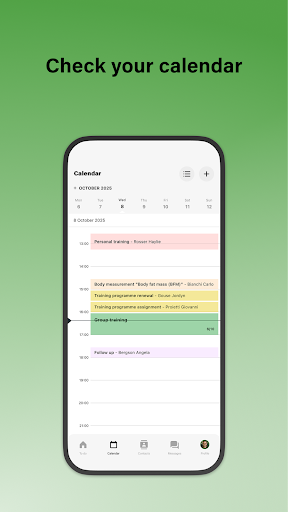
Schedule meetings, classes, and plan training sessions with the integrated calendar.
Assign training programs
Review client progress and create and assign training programs from the workout library.
Manage classes
Conduct group training sessions, monitor class attendance, view bookings, and confirm attendance.
Chat with clients
Use the in-app chat to coach clients, respond to their questions, and stay connected.
The Mywellness for Professionals mobile app was designed for operators and staff of facilities with a Mywellness CRM license. For more information, visit https://www.mywellness.com/staff-app.
User Reviews

Awful app. Most of the equipment in the gym isn't on the app. Gym equipment didn't always connect only showed half the workouts. Entering a workout manually was a pain and time consuming. Swimtag didn't want to connect to the app I wouldn't recommend this app to anyone

I cant login. The mobile app literally has a single login in screen and thats it. No option for password reset. Tried to reset password on browser but it wont send me a link on my email.

False advertising, the app doesn't sync with the other software needed to run gyms and calendars. 90% of the functions they promise can only be used from the web browser and using them in the app causes errors. What's more they blame users for poor design.

I tried to sync this app with Google Calendar but there is no way to do that. How come the developer had not thought of this. The app is failing my standard!
How to Download Mywellness for Professionals APK
- Enter the package name
com.mywellnessproon the APK Downloader. - Select your device architecture (ARM64 recommended for modern devices).
- Click Download to get the merged APK file.
- Transfer and install the APK on your Android device.
- Keep Updated: Visit APKDER.COM regularly to search for and download the latest secure versions of your favorite apps.
Frequently Asked Questions
Yes! Every APK download provided by APKDER undergoes rigorous security verification. We verify that the cryptographic signature of the APK file matches the official signature from the developer, ensuring the APK is original, untouched, and free from any modifications.
To install it, you first need to enable "Unknown Sources" in your Android device's security settings. After downloading the APK file from APKDER, tap it to begin the installation and follow the on-screen prompts.
Yes! As soon as the developer releases a new version of Mywellness for Professionals, we will update and provide the updated APK on APKDER. You can simply download and install the new APK over the existing installation without losing your app data.
Yes. APKDER allows you to bypass geographic restrictions and download official APK files directly, even if the app or game is not officially available in your country's store.
A standard APK is a single installation package. An XAPK or Split APK contains multiple resource files (like OBB expansions or device-specific layout parts) packaged together. To install them, you can download splits individually or use dynamic helper tools like Split APKs Installer (SAI).
Security & Signature Verification
This APK download is 100% safe. We verify that the cryptographic signature of the file matches the official developer credentials. No modifications or adware are injected.


