

Infofleet Mobile APK Screenshots



Infofleet Mobile App Information
Download Sources
Device Configuration
Split APKs Installation Guide
Some apps are distributed as Split APKs (multiple .apk files packaged together) to optimize resources. Standard Android installers cannot open them.
What's New in Infofleet Mobile
General Improvements and Fixes
About Infofleet Mobile
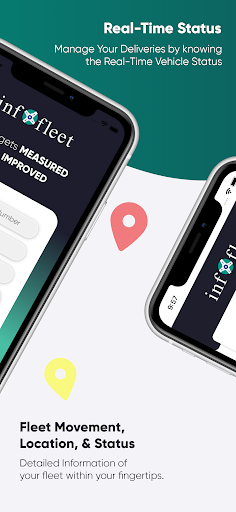
The app allows you to GPS track your vehicles with an easy-to- use interface. You can monitor your vehicles and assets right from your mobile. The Infofleet app is designed and developed by Informap that serves over 1000+ companies in the UAE.
FUNCTIONALITY OF INFOFLEET APP
Dashboard: Shows current operational status of the fleet.
Real time tracking (Map & Table View)
Infofleet gives the option to switch between table view and map view. Table view is better to have a list view of all the vehicles, their operation status and the speed.
Current status of vehicle; There are three modes based on Engine status:
Moving – Engine ON and Speed > 5
Idle – Engine ON and speed < 5
Parking - Engine is OFF
Search by vehicle plate number: You can search by vehicle ID, vehicle make or vehicle model
Search by driver name: Allows searching by driver ID
Vehicle Info: Tap on this to see the Speed, Distance travelled, Location detail of the vehicle
Odometer reading: This gives the snapshot of the odometer
Vehicle & driver details: Tap on the map on the vehicle icon to get the details.
Call drivers directly from app: This is very handy function to call the driver directly
History (Map & Table): You can generate the history for the given period and view it on the map as well as table
History playback: Once you have generated the history, you can use this function to simulate the path taken by the driver.
Alerts: The app gives you the following alert:
Over speed, Excessive Idle, Moonlighting, Registration expiry, Insurance expiry, Oil service expiry, etc..
Generate Reports: Infofleet app allows you to generate the following reports:
Activity report, Daily summary report, Trip report, Cumulative distance report, Asset logbook report, Fuel report. These reports are generated and send to you in the email.
Infofleet app contains functionality that are mostly used. Please log into the web version www.infofleet.com if you would like more detailed reports. For support, please e-mail [email protected].
User Reviews

The redesigned pages look great!

No The
How to Download Infofleet Mobile APK
- Enter the package name
com.noms.infofleeton the APK Downloader. - Select your device architecture (ARM64 recommended for modern devices).
- Click Download to get the merged APK file.
- Transfer and install the APK on your Android device.
- Keep Updated: Visit APKDER.COM regularly to search for and download the latest secure versions of your favorite apps.
Frequently Asked Questions
Yes! Every APK download provided by APKDER undergoes rigorous security verification. We verify that the cryptographic signature of the APK file matches the official signature from the developer, ensuring the APK is original, untouched, and free from any modifications.
To install it, you first need to enable "Unknown Sources" in your Android device's security settings. After downloading the APK file from APKDER, tap it to begin the installation and follow the on-screen prompts.
Yes! As soon as the developer releases a new version of Infofleet Mobile, we will update and provide the updated APK on APKDER. You can simply download and install the new APK over the existing installation without losing your app data.
Yes. APKDER allows you to bypass geographic restrictions and download official APK files directly, even if the app or game is not officially available in your country's store.
A standard APK is a single installation package. An XAPK or Split APK contains multiple resource files (like OBB expansions or device-specific layout parts) packaged together. To install them, you can download splits individually or use dynamic helper tools like Split APKs Installer (SAI).
Security & Signature Verification
This APK download is 100% safe. We verify that the cryptographic signature of the file matches the official developer credentials. No modifications or adware are injected.


