


Download Sources
Device Configuration
Split APKs Installation Guide
Some apps are distributed as Split APKs (multiple .apk files packaged together) to optimize resources. Standard Android installers cannot open them.
What's New
Various bug fixes and performance enhancements. For more details, go to “Settings” and select “Release Highlights”.
About This App
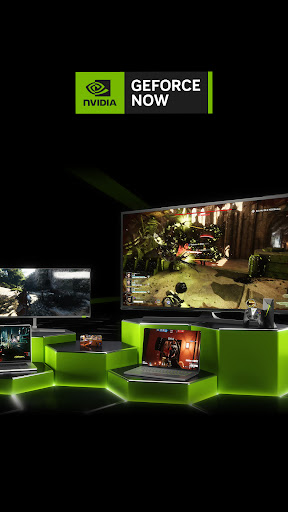
NVIDIA GeForce NOW™ transforms your device into a powerful PC gaming rig.
Gamers can play PC titles they already own or purchase new games from popular digital stores like Steam, Epic Games Store, Ubisoft Connect, and EA. Access 1500+ games, with more released every GFN Thursday. The catalog also features many of the world’s most-played games, including 100+ free-to-play titles, like Fortnite, Apex Legends, Destiny 2 and more. Play with and against millions of other PC players, and never wait for downloads, installs, patches or updates.
Downloading the app will not give you access to the service. Streaming with GeForce NOW requires a membership. Give PC gaming a try with our free membership. Or join one of our premium memberships for an enhanced experience including faster frame rates, RTX ON, priority access to our gaming servers and extended session lengths. To learn more about membership options, and to sign-up for GeForce NOW, visit our page here: www.geforcenow.com.
Members looking to continue use of GameStream can use Steam Link to stream games directly from their PC. Steam Link is free, supports 4K resolutions, and available for all major devices and platforms including NVIDIA SHIELD.
For an optimal experience, we recommend 5GHz WiFi or Ethernet connection with at least 15Mbps. You can find a full list of system requirements and supported gamepads here: https://www.nvidia.com/en-us/geforce-now/system-reqs/
User Reviews

Honestly, I'd call this a 3-star app due to missing features (I can't search content across multiple apps, recommended next viewing is often buggy and gets stuck, etc) but now they have ads on the home screen. Ads. I paid for this device. It was NOT cheap. I would like a partial refund of my device, please. If not, TURN. OFF. THE. ADS. And don't call them "Recommendations". They're ads. If I don't have a service and you recommend it because someone paid you... THAT IS AN AD. That might actually be the literal definition of an ad.

The new GFN layout on shield is an absolute travesty. It's laggy and not very controller friendly for something that is designed to be used with a controller. It's bad enough we lost game stream, but you didn't have to give us a crummy UI. Should have at least kept the one that was already there. Also, we had one click play, now that's gone too. You choose your game from play next and you're forced into this new app and have to click play again. Major downgrade.

Gamestream was the reason I bought my Shield. Now it's completely missing, certainly not in the interest of customers. This whole clunky and ever-changing ecosystem is pushing me back in the direction of gaming consoles, which at least continue to do the thing you bought them for throughout their lifetime. Very disappointed.

I was an early adopter and have subscribed to the service as soon as it was available. There have always been some issues which were very annoying, like having to log in to Steam each time I started a game, but I learned to live with those. Recently however, the service has been unusable with their network diagnostics tool telling me the same thing. The latency at peak times makes any game unplayable and they'll also tell you this much. Now, originally I considered this service to be an alternative to having to buy a proper gaming rig. I'm not into competitive PvP stuff anyway, so the somewhat higher latency was a tradeoff I could live with. This however, is a deal-breaker. I understand that infrastructure is under heavy load during peak times during a quarantine, but I don't think I'm asking too much when I say that those are exactly the times I would like to play my games, so the app is no longer fit for purpose. Please fix this, or at least give us the improved input-lag fixes PC users can configure for themselves on Android.
How to Download GeForce NOW for SHIELD TV APK
- Enter the package name
com.nvidia.tegrazone3on the APK Downloader. - Select your device architecture (ARM64 recommended for modern devices).
- Click Download to get the merged APK file.
- Transfer and install the APK on your Android device.
- Keep Updated: Visit APKDER.COM regularly to search for and download the latest secure versions of your favorite apps.
Security & Signature Verification
This APK download is 100% safe. We verify that the cryptographic signature of the file matches the official developer credentials. No modifications or adware are injected.


