



Download Sources
Device Configuration
Split APKs Installation Guide
Some apps are distributed as Split APKs (multiple .apk files packaged together) to optimize resources. Standard Android installers cannot open them.
What's New
Podcastplayer.com is a new podcast player app and website that empowers listeners around the world to search, discover, and listen to more than 20+ million free audio and video podcast episodes.
About This App
Podcastplayer.com is a new podcast player app and website that empowers listeners around the world to search, discover, and listen to more than 20+ million free audio and video podcast episodes.
You can find your favorite shows and discover new ones focused on pop culture, news, technology, sports, comedy, true crime, and more! Plus, discover robust features for watching video podcasts, free audiobooks, documentaries, relaxing sounds and interviews easily by using our curated discovery categories and advanced episode-level search.
KEY APP FEATURES
• Offline listening - When you're commuting and relaxing, your podcast player is still there for you, even with no wifi.
• Seamless cloud sync - Cross device sync lets you pickup right where you left off
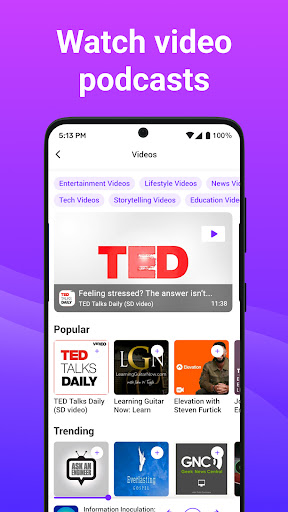
• Video Podcasts - Podcastplayer.com is optimized for video, with easy discovery of videos, fully featured app player, and picture in picture for multi-tasking
• Discover - See what new shows, episodes, and videos are most popular
• Colors & dark theme - Customize the app to fit your style
• Podcast organization - Group your shows into genres and moods.
• Sleep timer - Let the podcasts sleep when you do.
• CarPlay support - Listen in your car and easily control your shows from your dashboard
PREMIUM FEATURES
The Podcastplayer.com subscription includes the following additional features
• Space Saver - Compress downloaded episodes, while maintaining audio quality. A 100MB MP3 could compress to 30MB!
• Relax & Sleep - Discover and listen to relaxing sleep sounds hand-picked by our editors.
• Custom App Icons - Choose from 9 unique app icons to match your home screen.
• iPad support - Explore the app in Portrait and Landscape views.
• Ad-Free experience - Focus on the content of your favorite podcast episodes without the distraction of ads.
• Play on multiple devices - Easily sync playlists, full play history, and resume playback across devices.
• Playlists & bookmarks - Organize with playlists and timestamped bookmarks tied to your cloud account.
• Theme editor - Full control on themes, cloud-sync all your themes, unlock all premium themes.
• Turbo Fetch - Get updates early & often. Be the first to know!
• Personal search - Locate any episode with ease from your subscriptions and playlists.
Support:
[email protected]
Detailed subscription terms and more information about podcastplayer.com can be found here:
Terms of Service: https://podcastplayer.com/legal
Privacy Policy: https://podcastplayer.com/privacy
User Reviews

On first use my impression is that it has a lot of potential but still has a long way to go. App made me sign up for an account, but won't let me get to FAQs without giving credentials for the account...and it doesn't recognize said credentials. I really like the usability of Podcast Republic, but it has gotten slow and won't sync. I'm hoping this can be an acceptable replacement. PLEASE WORK ON THE UI and individual feed features...look to the competition to understand needs.

This is a great podcast app! I can sync all of my favorite audio and video podcasts. Highly recommended!

Auto generated episode chapters please
How to Download PodcastPlayer.com Podcast App APK
- Enter the package name
com.podcastplayer.androidon the APK Downloader. - Select your device architecture (ARM64 recommended for modern devices).
- Click Download to get the merged APK file.
- Transfer and install the APK on your Android device.
- Keep Updated: Visit APKDER.COM regularly to search for and download the latest secure versions of your favorite apps.
Frequently Asked Questions
Yes! Every file hosted on APKDER undergoes rigorous security verification. We verify that the cryptographic signature matches the official signature from the developer, ensuring the app hasn't been modified or tampered with.
To install it, you first need to enable "Unknown Sources" in your Android device's security settings. After downloading the APK file from APKDER, tap it to begin the installation and follow the on-screen prompts.
Yes! As soon as the developer releases a new version of PodcastPlayer.com Podcast App, we will scrape and post the updated APK on APKDER. You can simply download and install the new APK over the existing installation without losing your app data.
Security & Signature Verification
This APK download is 100% safe. We verify that the cryptographic signature of the file matches the official developer credentials. No modifications or adware are injected.


