

Universal TV Remote - All TVs APK Screenshots


Universal TV Remote - All TVs App Information
Download Sources
Device Configuration
Split APKs Installation Guide
Some apps are distributed as Split APKs (multiple .apk files packaged together) to optimize resources. Standard Android installers cannot open them.
What's New in Universal TV Remote - All TVs
🎉 New Update of Universal TV Remote - All TVs!
📺 Control Samsung, LG, Roku, Fire TV, Sony, TCL & More
📡 Works via WiFi & IR blaster
🎛 Power, volume, channels, inputs & navigation
⚡ Quick setup with auto TV detection
Turn your Android into an all‑in‑one TV remote.
About Universal TV Remote - All TVs
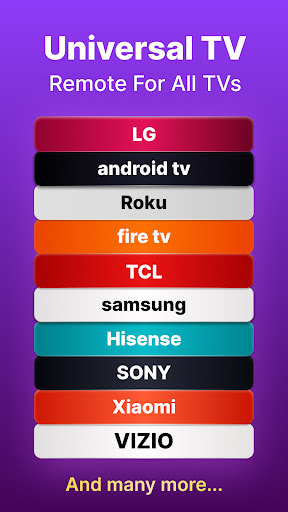
Lost your TV remote again? Turn your phone into a universal TV remote control that works with Samsung, LG, Roku, Fire TV, Sony, TCL, Vizio, Hisense, and 100+ TV brands. Whether you have a Smart TV or traditional TV with IR, Universal TV Remote - All TVs gives you complete control from your Android phone.
Why You'll Love Universal TV Remote - All TVs:
Your phone is always with you—no more searching for lost remotes between couch cushions. Never buy batteries again. One app controls every TV in your home, so you can stop juggling multiple remotes. Stream content, mirror your screen, and enjoy features your physical remote doesn't have.
✨ Top Features:
• Dual Connection: WiFi for Smart TVs + IR Blaster for traditional TVs
• Universal Compatibility: Works with Samsung Smart TV, LG webOS, Roku TV & Roku Stick, Amazon Fire TV & Firestick, Sony Bravia, Android TV, Google TV, TCL, Vizio, Hisense, Toshiba, and more
• Screen Mirroring & Casting: Display photos, videos, and apps from your phone on the big screen with low latency
• Voice Control: Search for shows and control TV using voice commands
• Smart Keyboard: Fast text input for logging into apps and searching content—no more frustrating letter-by-letter navigation
• Touchpad Navigation: Smooth gesture control for easy menu browsing
• Full Remote Functions: Power on/off, volume control, channel management, input switching, and all standard remote buttons
• Auto-Detect TVs: Automatically finds Smart TVs on your WiFi network—no manual pairing needed
• Customizable Layout: Personalize buttons and create shortcuts for your favorite channels
Compatible With All Major Smart TV & Streaming Platforms:
▸ Samsung Smart TV (All Models)
▸ LG Smart TV & LG webOS
▸ Roku TV & Roku Streaming Devices
▸ Amazon Fire TV, Fire TV Stick & Fire TV Cube
▸ Sony Bravia Smart TV
▸ Android TV & Google TV
▸ TCL Roku TV & TCL Android TV
▸ Vizio SmartCast
▸ Hisense, Toshiba, Philips, Panasonic & More
How to Connect in 30 Seconds:
1. Download Universal TV Remote - All TVs
2. Make sure your phone and TV are on the same WiFi network
3. Open the app and select your TV brand from the list
4. Tap your TV when it appears—you're connected!
For traditional TVs, simply point your phone's IR blaster at the TV and select the brand. No WiFi required.
What Makes This TV Remote App Different:
Universal TV Remote - All TVs combines the reliability of a physical remote with smartphone convenience. Cast photos and videos wirelessly, use voice search instead of typing, and control multiple TVs from a single app. Whether you're watching Netflix, YouTube, Hulu, or live TV, everything you need is at your fingertips.
Perfect for:
• Replacing lost or broken TV remotes
• Controlling multiple TVs in different rooms
• Travelers who want to control hotel TVs
• Anyone tired of cluttered coffee tables
• Streaming enthusiasts who need a keyboard for searching
Download Universal TV Remote - All TVs now and transform your Android phone into the ultimate TV controller. Control any television instantly—your entertainment is just one tap away.
Requirements:
• For Smart TVs: Phone and TV must be connected to the same WiFi network
• For traditional TVs: Android device with built-in IR blaster
• Android 5.0 or higher
Support: [email protected]
Privacy: https://www.prizepoolstudios.com/privacy
Disclaimer: Universal TV Remote - All TVs is an independent app not affiliated with Samsung, LG, Sony, Roku, Amazon, or other TV manufacturers mentioned. All brand names are trademarks of their respective owners.
User Reviews

very difficult to connect at any given time. the volume and arrow buttons were very glitchy. if I pushed the up button, it would just keep climbing til it couldnt go up anymore. finding the right volume was annoying. had to kep pressing updownupdown ect, til it stopped going on its own. selecting options on the TV had the same issue, if and when it even found the TV. I still have 2 weeks on my paid trial and I uninstalled it.

Ads popped up after almost every action and the most important controls (turning the TV off, using volume control etc) couldn't be used without paying. If you want to pay $50 a year for a remote on your phone then it's a good app, if not don't bother with the frustration and order an IRL remote from Amazon.

The app works fine, HOWEVER, there's a MAJOR problem. Ads get more attention than the remote functions. this app is overbearing with them between banner ads, full screen video ads that occur every 4 keystrokes, it's ridiculous. On top of that, the developer wants 50 bucks a year for "premium" that removes ads. Why would I pay 50 bucks for a half-@## digital remote?? This isn't convenient, it's outrageous.

So far I haven't ran into the same problems I've had in the past with other remote apps. It connected to my TV with ease. Continues to work after ads. Volume button doesnt work. came back to update.
How to Download Universal TV Remote - All TVs APK
- Enter the package name
com.prizepool.universal.tv.remoteon the APK Downloader. - Select your device architecture (ARM64 recommended for modern devices).
- Click Download to get the merged APK file.
- Transfer and install the APK on your Android device.
- Keep Updated: Visit APKDER.COM regularly to search for and download the latest secure versions of your favorite apps.
Frequently Asked Questions
Yes! Every APK download provided by APKDER undergoes rigorous security verification. We verify that the cryptographic signature of the APK file matches the official signature from the developer, ensuring the APK is original, untouched, and free from any modifications.
To install it, you first need to enable "Unknown Sources" in your Android device's security settings. After downloading the APK file from APKDER, tap it to begin the installation and follow the on-screen prompts.
Yes! As soon as the developer releases a new version of Universal TV Remote - All TVs, we will update and provide the updated APK on APKDER. You can simply download and install the new APK over the existing installation without losing your app data.
Yes. APKDER allows you to bypass geographic restrictions and download official APK files directly, even if the app or game is not officially available in your country's store.
A standard APK is a single installation package. An XAPK or Split APK contains multiple resource files (like OBB expansions or device-specific layout parts) packaged together. To install them, you can download splits individually or use dynamic helper tools like Split APKs Installer (SAI).
Security & Signature Verification
This APK download is 100% safe. We verify that the cryptographic signature of the file matches the official developer credentials. No modifications or adware are injected.


