
Download Sources
Device Configuration
Split APKs Installation Guide
Some apps are distributed as Split APKs (multiple .apk files packaged together) to optimize resources. Standard Android installers cannot open them.
Related Applications




What's New
- Minor bug fixes.
About this app
Get to know the must-have streaming sidekick!
Use the free Roku® mobile app to:
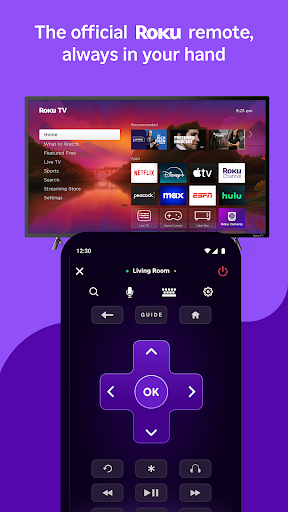
• Control your Roku devices with a convenient remote
• Use your voice or keyboard to quickly search for entertainment
• Enjoy private listening with headphones
• Stream free movies, live TV, and more on the go with The Roku Channel
• Cast media files from your phone, like videos and photos, to your TV
• Add and launch channels on your Roku devices
• Enter text on your Roku device more easily with your mobile keyboard
You must connect your phone or tablet to the same wireless network as your Roku device to use certain features of the mobile app. Some features require a compatible Roku device and may require logging into your Roku account.
Feature availability:
• Voice search is available in English in the US, UK, and Canada. It’s also available in Spanish in Mexico and the US.
• The Roku Channel can be viewed in the mobile app in the US only.
• Some channels require payment, can change, and vary by country.
For more information, go to http://support.roku.com
Privacy Policy: go.roku.com/privacypolicy
CA Privacy Notice: https://docs.roku.com/published/userprivacypolicy/en/us#userprivacypolicy-en_us-CCPA
How to Download The Roku App (Official) APK
- Enter the package name
com.roku.remoteon the APK Downloader homepage. - Select your device architecture (ARM64 recommended for modern devices).
- Click Download to get the merged APK file.
- Transfer and install the APK on your Android device.
- Keep Updated: Visit APK Downloader regularly to search for and download the latest secure versions of your favorite apps.
Security & Signature Verification
This APK download is 100% safe. We verify that the cryptographic signature of the file matches the official developer credentials. No modifications or adware are injected.