


Download Sources
Device Configuration
Split APKs Installation Guide
Some apps are distributed as Split APKs (multiple .apk files packaged together) to optimize resources. Standard Android installers cannot open them.
About this app
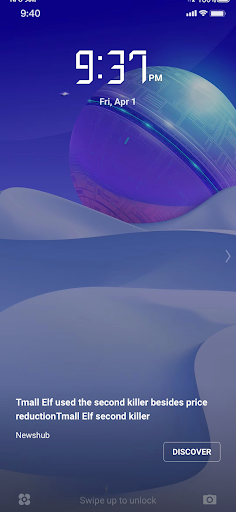
Fantastic images and exciting stories on lock screen
User Reviews

I thought this was an auto wallpaper changer but it isn't. The description is a bit misleading. The images look good though

it doesnt update newer lockscreen wallpaper even im connected to wifi, i only see five lockscreen wallpaper and it doesnt change at all. whats the purpose of this app? i cant delete this because its already preinstalled on my phone system apps, i will consider it bloatware because it doesnt do anything except adding 5 wallpapers on lockscreen and it doesnt update.

The collection is good but I am unable to set wallpapers.

Wow♥️ it's so nice🤍 but it's run with mobile data.wallpapers are good quility pictures.
How to Download Daily Wallpaper APK
- Enter the package name
com.ume.wallpaperon the APK Downloader. - Select your device architecture (ARM64 recommended for modern devices).
- Click Download to get the merged APK file.
- Transfer and install the APK on your Android device.
- Keep Updated: Visit APKDER.COM regularly to search for and download the latest secure versions of your favorite apps.
Security & Signature Verification
This APK download is 100% safe. We verify that the cryptographic signature of the file matches the official developer credentials. No modifications or adware are injected.


