




Download Sources
Device Configuration
Split APKs Installation Guide
Some apps are distributed as Split APKs (multiple .apk files packaged together) to optimize resources. Standard Android installers cannot open them.
About This App
## Listen to Stories Through Ages
A rich collection of fairy tales, fables, myths & world classic literature:
> Andersen’s Fairy Tales (170 stories)
> Aesop’s Fables (284 stories)
> Northern Myths (28 stories)
> Selected Works of William Shakespeare (5 plays)
> Four Great Tragedies: *Hamlet* (20 scenes), *King Lear* (26 scenes), *Othello* (1 scene), *Macbeth* (1 scene)
> Classic Romance: *Romeo and Juliet* (24 scenes)
Your likes fuel our continuous content updates.
## Multi-Language Support
- Native English by default; switch between various languages with one tap. Enable auto-translation to enjoy foreign stories in your mother tongue.
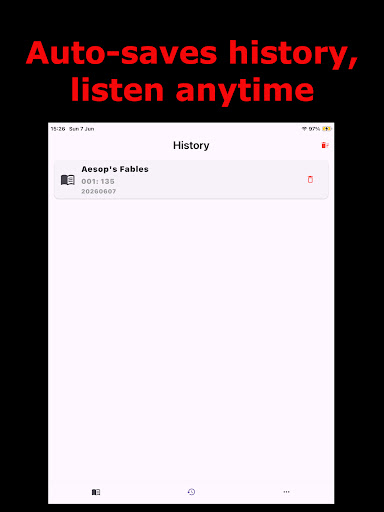
- Automatically save translation history and language preferences; replay cached translations instantly. Clear playback logs anytime to free up storage space.
- Powered by dual intelligent translation engines for fast and stable offline local translation.
- Fully offline operation: download required language packs as prompted to keep all your data secure locally.
- Smart screen-on lock prevents interruption during long-text translation for a smooth translating experience.
- Compatible with multiple devices; desktop version loads lengthy classic works at high speed.
- Quick-access toolkit available for long-text translation and one-click import of external documents.
## Multilingual Audio Narration
- Use high-quality system native voices with adjustable tone for an immersive listening experience.
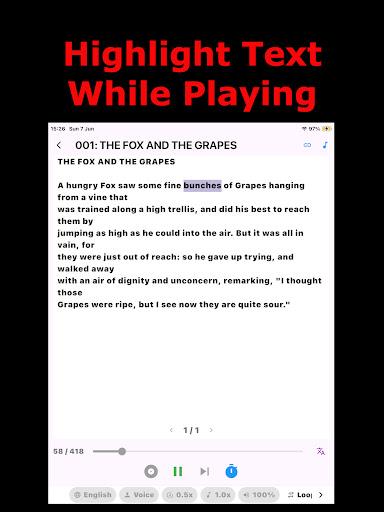
- Freely customize language, playback speed and volume; pause or resume playback to control your listening pace.
- Real-time text highlighting alongside narration to facilitate reading-along and language learning.
- Jump freely between chapters to play your desired sections precisely.
- Auto-save playback history, progress and settings to resume listening seamlessly next time.
- Background playback with screen-off support, allowing hands-free listening without keeping the screen on.
- Custom auto-shutdown timer ideal for bedtime listening.
- Built-in quick tools: document audio reading, audio export and online webpage storytelling all in one place.
How to Download StoryEarPro APK
- Enter the package name
com.zhuyangjun.storyearproon the APK Downloader. - Select your device architecture (ARM64 recommended for modern devices).
- Click Download to get the merged APK file.
- Transfer and install the APK on your Android device.
- Keep Updated: Visit APKDER.COM regularly to search for and download the latest secure versions of your favorite apps.
Security & Signature Verification
This APK download is 100% safe. We verify that the cryptographic signature of the file matches the official developer credentials. No modifications or adware are injected.


