



Download Sources
Device Configuration
Split APKs Installation Guide
Some apps are distributed as Split APKs (multiple .apk files packaged together) to optimize resources. Standard Android installers cannot open them.
What's New
Optimize the logic for saving shared directories; unify the file refresh and synchronization logic between web page and client. for en-US here
About This App
Tired of slow transfer speeds, needing to install multiple apps, and having no online playback or centralized file management?
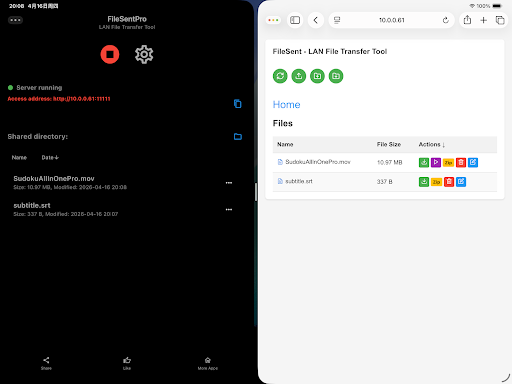
FileSent is a minimalist, high-speed, zero-data LAN file transfer tool. No cables or cloud required. Transfer files instantly between phones, computers, and tablets on the same WiFi/LAN network.
Free:
- Install on one device for multi-device cross-platform sharing
- Unlimited speed, direct connection without relay, maximizing LAN bandwidth
- Support folder transfer for photos, videos, documents and all file types
- LAN local service, centralized file management, data stored locally only, no cloud upload
- Built-in script injection protection, fully safeguarding local access and data security
Pro:
- Stable high-speed transfer of ultra-large files
- Built-in file decompression
- Support online preview of text, audio, and video
- Online video playback, automatic loading of multiple subtitles from the same directory
- Multi-clipboard collection sync
- Independent text file management
How to Download FileSent Pro - Lan Video Play APK
- Enter the package name
com.zhuyangjun.filesentproon the APK Downloader. - Select your device architecture (ARM64 recommended for modern devices).
- Click Download to get the merged APK file.
- Transfer and install the APK on your Android device.
- Keep Updated: Visit APKDER.COM regularly to search for and download the latest secure versions of your favorite apps.
Frequently Asked Questions
Yes! Every file hosted on APKDER undergoes rigorous security verification. We verify that the cryptographic signature matches the official signature from the developer, ensuring the app hasn't been modified or tampered with.
To install it, you first need to enable "Unknown Sources" in your Android device's security settings. After downloading the APK file from APKDER, tap it to begin the installation and follow the on-screen prompts.
Yes! As soon as the developer releases a new version of FileSent Pro - Lan Video Play, we will scrape and post the updated APK on APKDER. You can simply download and install the new APK over the existing installation without losing your app data.
Security & Signature Verification
This APK download is 100% safe. We verify that the cryptographic signature of the file matches the official developer credentials. No modifications or adware are injected.


