
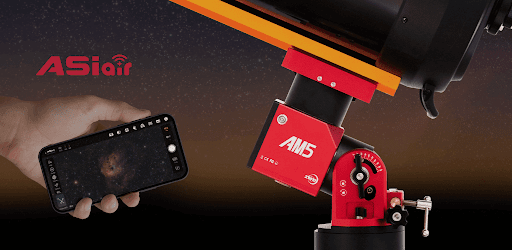
ASIAIR APK Screenshots


ASIAIR App Information
Download Sources
Device Configuration
Old Versions of ASIAIR
Split APKs Installation Guide
Some apps are distributed as Split APKs (multiple .apk files packaged together) to optimize resources. Standard Android installers cannot open them.
What's New in ASIAIR
Optimized & Fixed
1. Fixed occasional disconnections of the mount and guide camera
2. Fixed occasional crashes that occurred after successful auto-reconnection of third-party mounts
About ASIAIR
ASIAIR is an intelligent wireless controller that includes the device and app. You can control all ASI USB 3.0 and Mini-series cameras, selected DSLRs/MILCs, and popular equatorial mounts. Also, you can handle more gears, such as EFW and EAF from ZWO. Just connect your phone or pad to ASIAIR WiFi and explore the universe.
ASIAIR has SkyAtlas built-in. It can handle almost all DSO and Planetary imaging tasks. Such as preview, plate solve, auto-focus, polar-align, guiding, plan (multi-target, mosaic), video recording, live stacking, post-stacking, etc. You can even share and chat with global Astro-pals.
User Reviews

Very easy to control all my ZWO equipment. Images are always centered. One negative, the latest software version removed the compass icon from the search section. It still lists the location in degrees but with the compass icon I could tell at a glance where the DSO or planet was in the sky. It would be great if you could add it back in with the next update. still all in all it's a great app.

Great app and product. I love using it. One issue I have and have always had is that the notification never goes away that says "ASIAIR App is running". It doesn't matter if I close it hitting the back button or killing it in my list of running apps. It always stays there and I can't swipe it. Very annoying. I am running Android 12 and have the latest and greatest version (2.0 from here on the play store).

I just got my ASIair and first night out I fumbled a little with settings but watched a little Youtube and cleared those up and made progress. On the second night it was a breeze after correcting what I found out the first night. I was tracking easily over 2 minutes which told me I can go further. I use a DSLR with sky watcher Adventurer. A small power pack last forever charging my phone and the ASIair. You MUST use the power cable that came with it, others I tried that are beefy still did not supply it's needs and make sure you set the phone connection in the app to the right setting for you - 5G or not. Since I don't have 5G I set it to the lower setting and it works great, not slow and further distance capable. If it crashes in 5G, set it to lower setting.

Exceptional product. I have used asiair since the day the first version was released. After that i never went back to aquiring astrophotos using a laptop. All of the controls i needed were built in and can control everything from my phone or tablet over wifi. I spend more time with my family as a result playing games or watching movies. Absolutely a game changer for any astrophotography enthusiast.
How to Download ASIAIR APK
- Enter the package name
com.zwoasi.asiairon the APK Downloader. - Select your device architecture (ARM64 recommended for modern devices).
- Click Download to get the merged APK file.
- Transfer and install the APK on your Android device.
- Keep Updated: Visit APKDER.COM regularly to search for and download the latest secure versions of your favorite apps.
Frequently Asked Questions
Yes! Every APK download provided by APKDER undergoes rigorous security verification. We verify that the cryptographic signature of the APK file matches the official signature from the developer, ensuring the APK is original, untouched, and free from any modifications.
To install it, you first need to enable "Unknown Sources" in your Android device's security settings. After downloading the APK file from APKDER, tap it to begin the installation and follow the on-screen prompts.
Yes! As soon as the developer releases a new version of ASIAIR, we will update and provide the updated APK on APKDER. You can simply download and install the new APK over the existing installation without losing your app data.
Yes. APKDER allows you to bypass geographic restrictions and download official APK files directly, even if the app or game is not officially available in your country's store.
A standard APK is a single installation package. An XAPK or Split APK contains multiple resource files (like OBB expansions or device-specific layout parts) packaged together. To install them, you can download splits individually or use dynamic helper tools like Split APKs Installer (SAI).
Security & Signature Verification
This APK download is 100% safe. We verify that the cryptographic signature of the file matches the official developer credentials. No modifications or adware are injected.


