

Volume Booster & Equalizer APK Screenshots


Volume Booster & Equalizer App Information
Download Sources
Device Configuration
Split APKs Installation Guide
Some apps are distributed as Split APKs (multiple .apk files packaged together) to optimize resources. Standard Android installers cannot open them.
What's New in Volume Booster & Equalizer
Bug fixes and performance improvements.
About Volume Booster & Equalizer
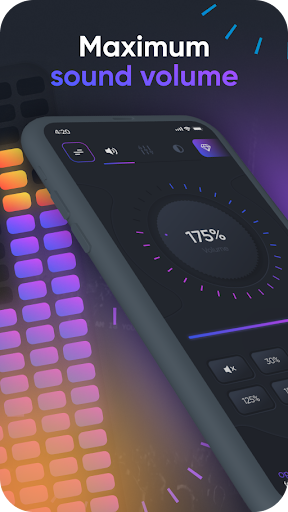
Volume Booster & Equalizer is a powerful and easy-to-use sound booster app that helps you increase volume and improve sound quality on your Android device. If your phone volume feels too low, this app allows you to boost sound for speakers, headphones, earbuds, and Bluetooth devices.
This volume booster app enhances music volume, video volume, call volume, and system sounds. With built-in bass booster and equalizer controls, you can enjoy louder, clearer, and richer audio without complicated settings.
Volume Booster works with music players, video apps, games, audiobooks, and streaming content. Whether you want louder music, stronger bass, or clearer voice calls, this sound booster helps make your phone louder and more powerful.
Key features:
Increase volume for music, videos, and games
Boost speaker volume and headphone volume
Bass booster for deeper and richer sound
Equalizer for better audio control
Call volume booster for clearer conversations
Works with earbuds, earphones, and Bluetooth speakers
Boost system sounds, notifications, ringtones, and alarms
Volume Booster & Equalizer allows you to raise volume beyond standard system limits. Default Android volume levels are often restricted, and this app helps unlock louder sound while keeping audio quality clear and balanced.
The app is designed to be simple and lightweight. You can boost volume with one tap or fine-tune sound using the equalizer. It works without root and supports most Android devices.
This sound booster app is perfect for users who experience low volume on their phone speaker or headphones. Whether you are listening to music, watching movies, or making phone calls, Volume Booster helps you hear everything louder and better.
Important notice:
Playing sound at high volume for long periods may damage your hearing or speakers. Please use the volume booster responsibly and adjust sound levels carefully.
By installing this app, you agree that the developer is not responsible for any damage to your device or hearing caused by high volume usage.
Enjoy louder sound, stronger bass, and better audio with Volume Booster & Equalizer.
Support:
Please write to us if you have questions or suggestions. We'll be happy to reply.
Email: [email protected]
Thank you for choosing Max Volume!
User Reviews

I Love this App ,💯% this Is Really Great amazing and Awesome App it actually booster the Audio and Speaker Booster on Volume , keep it you all. Nice App , I am Going to use this App Often from Now On And Upcoming Future, Hopefully...🔊🎚️⚡⚡⚡💣💥🔥🔥💥💙♥️🙂👍

definitely make sound louder on movies and you tube but sometimes the sound just go down and you have to open the app again

Don't try this They charge your credit card even when you cancel before the Free Trial

awesome volume booster. I recommend it
How to Download Volume Booster & Equalizer APK
- Enter the package name
extra.volume.boosteron the APK Downloader. - Select your device architecture (ARM64 recommended for modern devices).
- Click Download to get the merged APK file.
- Transfer and install the APK on your Android device.
- Keep Updated: Visit APKDER.COM regularly to search for and download the latest secure versions of your favorite apps.
Frequently Asked Questions
Yes! Every APK download provided by APKDER undergoes rigorous security verification. We verify that the cryptographic signature of the APK file matches the official signature from the developer, ensuring the APK is original, untouched, and free from any modifications.
To install it, you first need to enable "Unknown Sources" in your Android device's security settings. After downloading the APK file from APKDER, tap it to begin the installation and follow the on-screen prompts.
Yes! As soon as the developer releases a new version of Volume Booster & Equalizer, we will update and provide the updated APK on APKDER. You can simply download and install the new APK over the existing installation without losing your app data.
Yes. APKDER allows you to bypass geographic restrictions and download official APK files directly, even if the app or game is not officially available in your country's store.
A standard APK is a single installation package. An XAPK or Split APK contains multiple resource files (like OBB expansions or device-specific layout parts) packaged together. To install them, you can download splits individually or use dynamic helper tools like Split APKs Installer (SAI).
Security & Signature Verification
This APK download is 100% safe. We verify that the cryptographic signature of the file matches the official developer credentials. No modifications or adware are injected.


