



Download Sources
Device Configuration
Split APKs Installation Guide
Some apps are distributed as Split APKs (multiple .apk files packaged together) to optimize resources. Standard Android installers cannot open them.
What's New
- Added Online Tournament Doubles Match (Beta).
- Added new games: COUNTUP TRAINING, HYPER BULL, and TREASURE HUNT.
- Fixed video display issues in Online Doubles matches.
- Fixed issues with Online Friends list display and GRANBOARD Auto Change.
- Improved GRANBOARD score detection behavior.
About This App
GranDarts is a next-generation steel-tip darts scoring app that transforms your home into a smart darts arena.
When connected with GRAN EYE, you can enjoy AI-powered auto scoring in real time. No GRAN EYE? No problem — manual scoring is fully supported too!
Key Features:
• AI Auto Scoring (GRAN EYE compatible) – Hands-free, real-time score detection
• Manual Scoring Mode – Enjoy seamless play even without GRAN EYE
• Online Matches – Play against players worldwide with high-quality video and voice chat
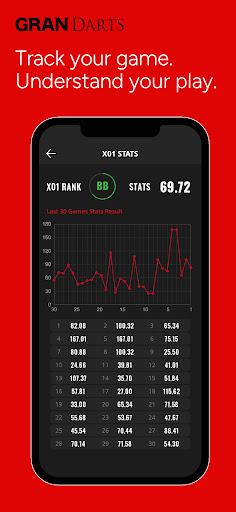
• Data Tracking – Save and review your performance for effective training
Available Game Modes:
🔹Online Play: X01 / CRICKET / MATCH
🔹Local Play: X01 / CRICKET / MATCH / COUNT UP / KICKDOWN
※ More game modes coming soon via future updates!
From solo training to thrilling global matches – GranDarts brings pro-level darts to your home.
Download now and elevate your darts experience!
User Reviews

New App has zero players online usually. sometimes there's one other player. the app crashes if you hit a low ton or any other achievement that activate an award animation. the Ai players crash the app. all my stats are gone from the old app. this has gotten terrible. also, the 2 month old board has been registering bullseye when I hit single sevens. I enjoyed it when it worked but it seems to be short lived.

I'm happy with the app and soft tip board. I only use offline, and have minimal problems. I wish there were better animations for many things.

can not get board to connect using new app anymore was able to first couple times and now nothing click on the connect icon and it tells me to allow other devices to connect In app settings I dont see anything that says that it says I have no permissions denied

would be 5 stars but its still alot easier to play online on the old app than it is on this one. but the other features are fantastic
How to Download GranDarts APK
- Enter the package name
jp.luxza.GranDartson the APK Downloader. - Select your device architecture (ARM64 recommended for modern devices).
- Click Download to get the merged APK file.
- Transfer and install the APK on your Android device.
- Keep Updated: Visit APKDER.COM regularly to search for and download the latest secure versions of your favorite apps.
Security & Signature Verification
This APK download is 100% safe. We verify that the cryptographic signature of the file matches the official developer credentials. No modifications or adware are injected.


