


Download Sources
Device Configuration
Split APKs Installation Guide
Some apps are distributed as Split APKs (multiple .apk files packaged together) to optimize resources. Standard Android installers cannot open them.
What's New
1.Improved product experience and resolved some known issues.
About This App
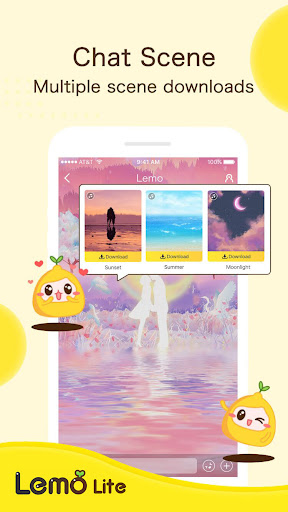
Tired of all the same social apps that give you the same content over and over again? Meet Lemo. Lemo is the app that lets you meet new people from the comfort of your own room, and discover communities with common interests that you were always meant to meet .
Lemo offers the opportunity to make new friends virtually and a multifaceted platform where you can host video/audio chats, games, and, unlike ever before, unlock different themes and Lemojis as you accomplish unique in-app missions ! This app will allow you to post moments, join any room hosted by an array of people, and discover new music together . Lemo gives you the chance to be together while apart.
User Reviews

Can't delete the account when you have coins in your account. So when you log in they give you five coins which just trap you there because you can't give them away noo, you need to buy some more to afford to buy something. So the five coins are just an anchor so that you cannot leave without spending money on the app*SCAM*

Everything is in Japanese confusing a English option would help. Unsure what to do and can't explore the app further so that's it for now

So good, but there is a lot of permission worries, officially they have granted permit, this means they must be clear about user privacy

What's the point you try and register and instant banned The app should be removed from the play store
How to Download Lemo Lite APK
- Enter the package name
net.vostic.androidon the APK Downloader. - Select your device architecture (ARM64 recommended for modern devices).
- Click Download to get the merged APK file.
- Transfer and install the APK on your Android device.
- Keep Updated: Visit APKDER.COM regularly to search for and download the latest secure versions of your favorite apps.
Security & Signature Verification
This APK download is 100% safe. We verify that the cryptographic signature of the file matches the official developer credentials. No modifications or adware are injected.


