



Download Sources
Device Configuration
Split APKs Installation Guide
Some apps are distributed as Split APKs (multiple .apk files packaged together) to optimize resources. Standard Android installers cannot open them.
What's New
fixed bugs
About this app
Smart Tools - universal set of tools: spirit level, plumb bob (camera mode), ruler.
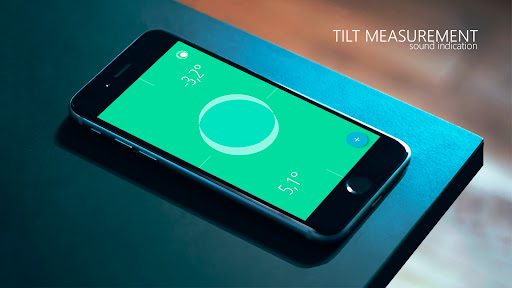
Spirit Level (electronic level, clinometer):
- zero level with audible indication;
- simple calibration;
- 3 different display modes;
- definition of angle with or without decimal;
- angle measurement with hold function;
- display can be kept active (or energy saving mode);
- lock icon to stop from automatically changing screen with inclination;
- translated to 12 languages: العربية, Deutsch, English, Español, Français, Italiano, 日本語, Nederlands, Português, Русский, 繁體中文, 简体中文 (new translations in the near updating).
Plumb bob (plummet, plumbline) lets you use your phone’s camera combined with the accelerometer for measuring angles and tilt similarly to laser level.
- digital zoom;
- automatic focusing;
- additional reference lines;
- inclusion of a flashlight.
Ruler app (screen ruler, tape measure):
- set the units: cm, inch;
- measurement of the length (with hold function) either side of the device;
- graph paper, vertical and horizontal line;
- measurement in 4 modes: point, line, plane, level.
Digital level (surface level) will help You to install the refrigerator or washing machine, hang a shelf or picture, measure the angle of any surface. It is beautiful, functional and easy to use tool on every smartphone or tablet. Try smart tools and much more examples You will find in practice.
User Reviews

This is what I was looking for. No ads, no in-app purchases, no data collected, and no data shared with third parties. I'll gladly pay a one-time, non-subscription fee in exchange for use of a tool like this. As it should be. One small ask would be a dark mode. A slightly bigger ask would be to allow us to customize colors. This app is just about perfect, thanks dev!

Extremely accurate (0.1*), calibration is easy. Biaxial bubble level is handy, but I get most use out of the vertical angle (plumb) tool. Ads are occasional and not intrusive. Well worth the purchase if you use it regularly.

I have been surprised how much I love this app. I don't use it everyday. But I do use it regularly. In situations where, in the past, I would have had no ruler or level available. Now that I've got a ruler & level with me all the time, it really has surprised me just how often I use it. And how nice it is to be able to get a quick and easy measurement.

Please bring the app to the same level of polish and style the free bubble level app is at. It seems to me the pro version is some kind of older version of code. Settings page still uses weird card type of visualization with some custom, non-system fonts. Also the bubble level doesn't utilize full screen estate as there's ugly white bar at the bottom. And please make the settings page available in dark mode. While functionality wise this is a good app, the polish needs work/updating.
How to Download Bubble Level, Ruler APK
- Enter the package name
org.nixgame.bubblelevelproon the APK Downloader. - Select your device architecture (ARM64 recommended for modern devices).
- Click Download to get the merged APK file.
- Transfer and install the APK on your Android device.
- Keep Updated: Visit APKDER.COM regularly to search for and download the latest secure versions of your favorite apps.
Security & Signature Verification
This APK download is 100% safe. We verify that the cryptographic signature of the file matches the official developer credentials. No modifications or adware are injected.


