
Simple notepad notes APK Screenshots


Simple notepad notes App Information
Download Sources
Device Configuration
Old Versions of Simple notepad notes
| Version | Size | Min OS | Architecture | Release Date | Action |
|---|---|---|---|---|---|
| v1.80.273 | 10.5 MB | Android 18+ | x86 x86-64 armeabi armeabi-v7a arm64-v8a mips mips64 | Jun 17, 2026 | Download |
| v1.80.270 | 10.4 MB | Android 18+ | x86 x86-64 armeabi armeabi-v7a arm64-v8a mips mips64 | Jul 10, 2026 | Download |
| v1.80.268 | 10.4 MB | Android 18+ | x86 x86-64 armeabi armeabi-v7a arm64-v8a mips mips64 | May 31, 2026 | Download |
| v1.80.234 | 13.7 MB | Android 16+ | x86 x86-64 armeabi-v7a arm64-v8a | Mar 18, 2026 | Download |
Split APKs Installation Guide
Some apps are distributed as Split APKs (multiple .apk files packaged together) to optimize resources. Standard Android installers cannot open them.
About Simple notepad notes
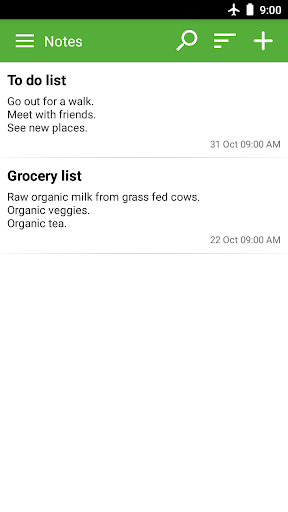
Easy & simple notepad that you can use for quick note taking.
Features:
* Simple notepad.
* Checklist.
* Write notes with finger (handwritten note taking & drawings).
* Reminders.
* Lock your notes with password.
* Share your notes with other apps.
* Spell check text of your notes.
* Sync your notes with other devices.
* Rich text formatting options.
* Sticky note widget (notes for home screen).
* Speech to text notes.
* Picture attachments.
* Notepad with no lines.
* Different fonts.
* Control the text size used when writing notes.
* Backup and restore option.
User Reviews

I love using the list format for my grocery shopping. I have a huge number of items I can need on the list. As I run out of something I just go to the list and uncheck the item needed. Then whenever I go to the grocery my list is always ready & waiting on my phone! Also love saving info from friends to check out later. Always seemed to lose those sticky notes I used to use!

Ok for a simple text editor. The ads have gotten way too intrusive, blocking the screen for several seconds. You can buy the app to make the ads go away, but it is way too expensive for a simple text editor. ($18.99). You've crossed the line with these intrusive ads and high price. I will find another text app. Not recommended.

Revised review, Notepad does have a backup feature, you just have to remember where you saved it. If needed that same file could be used to restore your notes to a new phone, if it doesn't transfer automatically. Keeping notes and adding to it is great. In addition, you can do a mass search and the note that contains that searched word will be displayed to be opened. It is very easy to use.

I like this app; use constantly. Had it on my old tablet and now on Android phone. I like its simplicity and it still is so helpful with its ability to reverse or put back what you wrote until you check finished. Can adjust type size (but only for entire app) and Boldface, underline, highlight. Easy to organize. Wish improve search function. Ads may come on when you close a page but they let you click off - tho' one just now was serious spam! First such one, though. Phishing!
How to Download Simple notepad notes APK
- Enter the package name
org.whiteglow.keepmynoteson the APK Downloader. - Select your device architecture (ARM64 recommended for modern devices).
- Click Download to get the merged APK file.
- Transfer and install the APK on your Android device.
- Keep Updated: Visit APKDER.COM regularly to search for and download the latest secure versions of your favorite apps.
Frequently Asked Questions
Yes! Every APK download provided by APKDER undergoes rigorous security verification. We verify that the cryptographic signature of the APK file matches the official signature from the developer, ensuring the APK is original, untouched, and free from any modifications.
To install it, you first need to enable "Unknown Sources" in your Android device's security settings. After downloading the APK file from APKDER, tap it to begin the installation and follow the on-screen prompts.
Yes! As soon as the developer releases a new version of Simple notepad notes, we will update and provide the updated APK on APKDER. You can simply download and install the new APK over the existing installation without losing your app data.
Yes. APKDER allows you to bypass geographic restrictions and download official APK files directly, even if the app or game is not officially available in your country's store.
A standard APK is a single installation package. An XAPK or Split APK contains multiple resource files (like OBB expansions or device-specific layout parts) packaged together. To install them, you can download splits individually or use dynamic helper tools like Split APKs Installer (SAI).
Security & Signature Verification
This APK download is 100% safe. We verify that the cryptographic signature of the file matches the official developer credentials. No modifications or adware are injected.


